
Choosing the right accounting system can affect your small or mid-sized business’s cash flow, financial accuracy, and overall operational efficiency. Peachtree accounting software, now branded as Sage 50 Accounting, has been a trusted desktop and on-premise solution for businesses that require more than simple bookkeeping. It offers cloud-connected features, advanced reporting, inventory management, job costing, and automated bank reconciliation, making it suitable for growing businesses and multi-user teams.
In this guide, we will explore everything about Peachtree accounting software, including its history, products, features, benefits, pricing, pros and cons, support, technology, and comparisons, giving you the insights to make an informed decision for your business.
What Is Peachtree Accounting Software?
Peachtree accounting software is a desktop-based system designed to help small and mid-sized businesses manage financial reporting, payroll, invoicing, and inventory efficiently. The software is built to provide accuracy, control, and operational transparency, which are essential for businesses that need reliable financial insights and detailed reports.
As a multi-user platform, Peachtree allows companies to manage multi-company operations, track cash flow, and maintain compliance through audit trails and role-based permissions. Its interface is user-friendly, offering clear dashboards that allow businesses to monitor their profitability, budgets, and operational workflows. Historically, Peachtree has been a strong choice for organizations that want desktop reliability, performance, and security, with the added benefit of cloud-connected capabilities for remote access when needed.
Peachtree Accounting Software Is Now Sage 50
The Peachtree brand has evolved into Sage 50 Accounting, reflecting modernization and integration with Sage’s enterprise ERP systems and cloud-connected platforms.
Why Peachtree Was Rebranded to Sage 50
The rebranding to Sage 50 was done to align the software with Sage’s global portfolio, providing a hybrid desktop-and-cloud-connected solution that offers enhanced performance, scalability, and operational insights. The update added modern dashboards, automated workflows, and advanced reporting features, helping businesses streamline order processing, inventory management, and financial reconciliation.
What Stayed the Same and What Changed
The core functionality of Peachtree remains in Sage 50:
- Desktop and on-premise performance with optional cloud-connected access
- Multi-user capabilities and role-based permissions
- Inventory management, job costing, and financial reporting
- Multi-company consolidated statements and audit trails
New improvements include:
- Modern dashboards and data analytics
- Faster bank reconciliation and automation of repetitive tasks
- Enhanced workflow management and order processing
- Expanded remote access for teams across locations
The software maintains its stability, reliability, and scalability, making it suitable for mid-sized and enterprise-level teams that need a robust accounting platform.
Who Should Use Peachtree Accounting Software?
Peachtree accounting software is best suited for small to mid-sized businesses that require more than basic bookkeeping. It works for retailers, manufacturers, service businesses, and enterprises with multiple departments. Businesses that need advanced inventory control, multi-company reporting, and payroll integration will benefit most.
Companies with teams requiring collaboration, role-based permissions, and automated financial reconciliation will find Peachtree useful. It may not be ideal for freelancers or micro-businesses that need lightweight cloud-only software, but for growth-focused businesses, it provides the tools, insights, and control needed to scale efficiently.
Peachtree Accounting Software Product Overview
Sage 50 Accounting is available in multiple editions to meet different business needs: Pro, Premium, and Quantum. Each edition adds more features and scalability, ensuring businesses can expand their accounting capabilities as they grow.
Pro Accounting
The Pro edition is designed for single-user small businesses. It includes desktop accounting with cloud-connected access, handling invoices, billing, purchase orders, expense tracking, and bank reconciliation. Inventory management, job costing, and financial reporting are also included, making it a reliable starter solution for businesses seeking accuracy and operational efficiency.
Premium Accounting
The Premium edition adds advanced budgeting, multi-company management, serialized inventory, and audit trails. It supports 1–5 users and provides deeper financial insights and reporting capabilities, enabling teams to handle complex workflows and consolidated statements. Businesses requiring enhanced operational control and customizable reports will find this edition suitable.
Quantum Accounting
The Quantum edition is designed for larger accounting teams needing advanced role-based permissions, faster processing, workflow automation, and comprehensive multi-company support. It supports 1–40 users and integrates order processing, payroll, and inventory management seamlessly. Data security, performance, and reliability are emphasized, making it ideal for mid-sized and enterprise-level businesses.
Pricing Summary Table
| Edition | Users | Starting Price |
| Pro | 1 | $69.42/mo |
| Premium | 1–5 | $114.33/mo |
| Quantum | 1–40 | $198.42/mo |
“For visual branding needs, this guide on the Best Photo Editing Software offers tested tools that help businesses design professional graphics alongside accounting workflows.”
Key Features of Peachtree Accounting Software
The software includes desktop and cloud-connected features that enhance accuracy, efficiency, and reporting:
- Automated bank reconciliation for faster cash flow monitoring
- Advanced inventory management with tracking and serialized items
- Job costing to analyze project profitability
- Payroll integration for compliance and accuracy
- Customizable financial reports and multi-year budget comparisons
- Multi-company consolidated statements with audit trails
- Workflow and order processing automation
These features make it easier for small and mid-sized businesses to maintain control, efficiency, and profitability.
Benefits of Peachtree Accounting Software for Small Businesses
Using Peachtree accounting software provides several advantages:
- Reduces manual data entry and errors
- Improves cash flow visibility and financial transparency
- Enables accurate tax reporting and compliance
- Provides insights into operational performance through dashboards and analytics
- Supports scalable growth with multi-user and multi-company management
Businesses gain more control over operational workflows, improving profitability and efficiency over time.
Pros and Cons of Peachtree Accounting Software
Understanding the advantages and limitations of Peachtree accounting software helps businesses determine if it fits their financial management and operational needs. This section explores what makes the software valuable for small and mid-sized businesses, including its performance, security, and scalability, as well as areas where users might face challenges. By reviewing both pros and cons, you can make a more informed choice about implementing Sage 50 in your organization.
Pros
Peachtree (Sage 50) offers reliable performance with desktop stability, multi-user support, and advanced financial reporting. It supports inventory management, job costing, payroll, and multi-company operations, making it scalable for mid-sized businesses. Role-based permissions and audit trails improve security and control.
Cons
The software requires desktop installation and has a learning curve for new users. The cost is higher than basic cloud solutions, and businesses seeking pure cloud flexibility may find it limited.
Peachtree Accounting Software Pricing Plans Explained
Pricing is structured by edition and user count, providing options based on business needs.
Cost Comparison by Edition
| Edition | Users | Price |
| Pro | 1 | $69.42/mo |
| Premium | 1–5 | $114.33/mo |
| Quantum | 1–40 | $198.42/mo |
Higher tiers provide automation, advanced reporting, multi-user collaboration, and workflow management that justify the cost for businesses with growing operations.
Technology Behind Peachtree Accounting Software
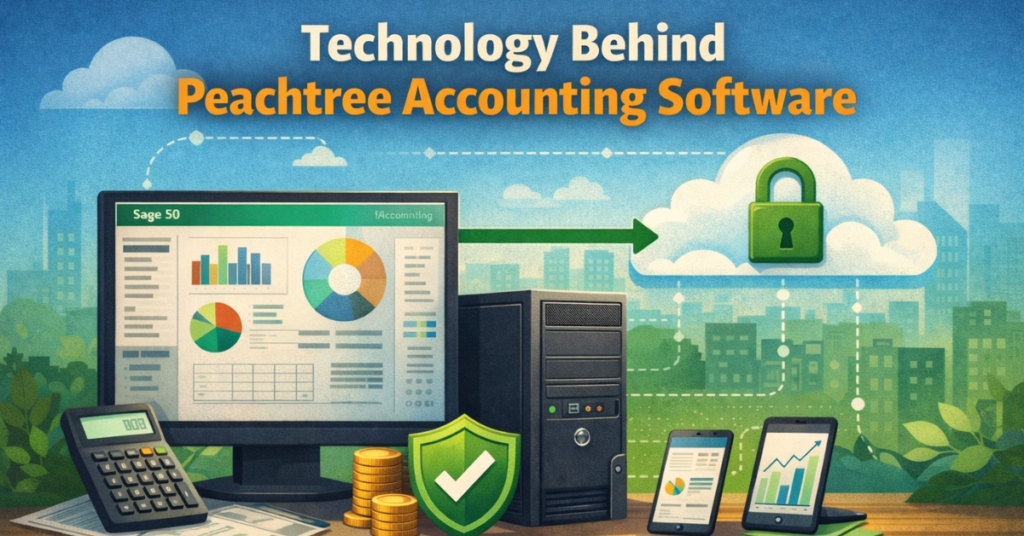
Peachtree accounting software is primarily an on-premise desktop solution with cloud-connected capabilities. Its secure local data storage ensures financial accuracy, control, and compliance, while remote access allows teams to manage workflows and reporting from multiple locations. Businesses benefit from automation, integration, and performance stability, supporting both legacy systems and modern accounting processes.
Ease of Use, Setup, and Learning Curve
The software requires installation and configuration, including database setup and chart of accounts customization. While setup may take time, the interface is user-friendly, providing clear dashboards, accessible financial reports, and simple navigation. Teams generally adapt within 1–2 weeks, improving operational efficiency and reducing manual accounting efforts.
Training, Support, and Learning Resources
Sage provides structured training and support to ensure businesses can implement Peachtree effectively.
Learning & Tutorials
Sage University offers on-demand courses and instructor-led classes, helping users understand desktop features, cloud integration, payroll, and financial reporting tools.
Problem Solving & Support
Support is available through documentation, knowledge base articles, and product updates, providing guidance for workflow setup, bank reconciliation, and automation.
Sales & Product Inquiry
Communities and support teams offer assistance for purchase decisions, implementation guidance, and troubleshooting, ensuring businesses get reliable advice and solutions.
Real Customer Use Cases and Case Studies
Businesses in retail, manufacturing, non-profits, and services use Peachtree accounting software to manage inventory, job costing, payroll, and financial reporting. Case studies show improved profitability, operational transparency, and efficiency. Companies can consolidate multiple entities, monitor cash flow, and ensure compliance, supporting growth and scalability.
Peachtree Accounting Software Screenshots and Interface Overview
The interface focuses on user-friendly dashboards, transaction navigation, and financial reporting shortcuts. Users can quickly access invoices, billing, expense tracking, purchase orders, payroll, and inventory. Screenshots highlight desktop performance, customizable dashboards, and operational visibility, aiding decision-making for business owners.
Peachtree Accounting Software Video Demos
Video demonstrations provide step-by-step guidance for installation, setup, invoice creation, payroll integration, and report generation. These demos help business teams evaluate workflows, optimize processes, and understand how automation and role-based permissions work within the platform.
Peachtree Accounting Software vs Similar Accounting Tools
When compared with other accounting software, Peachtree offers strong control and operational transparency.
| Feature | Peachtree (Sage 50) | QuickBooks | Xero |
| Desktop & on-premise | ✅ | ❌ | ❌ |
| Inventory & job costing | ✅ | Limited | Limited |
| Multi-user & role-based | Strong | Moderate | Cloud-only |
| Cloud-connected access | Partial | Yes | Yes |
| Workflow automation | ✅ | Limited | Limited |
Peachtree excels at desktop performance, advanced reporting, and multi-company management, while cloud solutions like QuickBooks or Xero offer mobility and full cloud access.
Security, Data Control, and Compliance
The software provides secure data storage, role-based permissions, and audit trails, ensuring financial accuracy and compliance. Businesses can control access to sensitive financial information, maintain operational transparency, and meet tax reporting standards. The platform reduces the risk of data loss and supports enterprise-level security practices, making it suitable for mid-sized and multi-user teams.
Common Issues and Limitations to Know Before Buying
Potential drawbacks include:
- Requires desktop installation and IT setup
- Learning curve for new users
- Higher pricing compared to cloud-only solutions
- Limited pure cloud flexibility
Despite these limitations, it remains reliable, scalable, and secure, suitable for businesses that need control and advanced functionality.
Is Peachtree Accounting Software Worth It in 2026?
For businesses needing inventory management, job costing, multi-user collaboration, and advanced financial reporting, Peachtree accounting software (Sage 50) is worth considering. Its combination of desktop reliability, cloud-connected access, and operational automation supports profitability, efficiency, and scalability. Companies that prioritize accuracy, control, and multi-company management will benefit most from this solution.
“If you’re also planning brand identity, this ultimate guide explains which is the best software to design a logo at GfxPixelment for modern businesses.”
Frequently Asked Questions (FAQs)
What is Peachtree Accounting Software?
Peachtree accounting software, now known as Sage 50, is a desktop and cloud-connected accounting solution for small and mid-sized businesses. It helps with invoices, payroll, inventory management, job costing, and financial reporting. It provides accuracy, control, and operational insights for businesses managing complex workflows.
How is Peachtree different from Sage 50?
Peachtree was rebranded as Sage 50, but it keeps the same desktop and on-premise performance while adding cloud-connected features, modern dashboards, and workflow automation. The software now provides enhanced reporting, remote access, and multi-user support.
Who should use Peachtree Accounting Software?
Peachtree is suitable for small, mid-sized, and growing businesses that need advanced inventory management, payroll integration, and multi-company financial reporting. It is ideal for teams that require role-based permissions and accurate job costing.
What are the main editions of Peachtree Accounting Software?
The software is available in three main editions: Pro, Premium, and Quantum. Pro is for single users, Premium supports 1–5 users with advanced features, and Quantum is designed for larger teams with workflow automation and multi-company management.
What features does Peachtree Accounting Software offer?
Key features include bank reconciliation, inventory tracking, payroll, job costing, multi-company reports, workflow management, and advanced financial reporting. It also offers role-based permissions and audit trails for data security and compliance.
Can Peachtree Accounting Software handle multiple companies?
Yes, Premium and Quantum editions allow multi-company accounting and consolidated statements, giving businesses clear insights into overall financial performance.
Is Peachtree Accounting Software cloud-based?
Peachtree is primarily a desktop and on-premise solution, but it offers cloud-connected features for remote access, data monitoring, and workflow collaboration.
How does Peachtree help with payroll management?
Peachtree integrates with payroll systems, helping businesses calculate taxes, manage salaries, and track payments. This ensures compliance, reduces errors, and saves time.
Does Peachtree Accounting Software support inventory management?
Yes, it provides advanced inventory tracking, serialized inventory, purchase orders, and automated reporting. Businesses can monitor stock levels, job costing, and order workflows efficiently.
How much does Peachtree Accounting Software cost?
Pricing depends on the edition. Pro starts at $69.42/month for 1 user, Premium starts at $114.33/month for 1–5 users, and Quantum starts at $198.42/month for 1–40 users. Costs increase with more users or added features.
Can Peachtree Accounting Software generate custom financial reports?
Yes, the software allows businesses to create customizable reports, multi-year budget comparisons, consolidated statements, and financial dashboards for better decision-making and operational insights.
How secure is Peachtree Accounting Software?
Peachtree provides role-based permissions, audit trails, and local data storage, ensuring financial data is safe, compliant, and accessible only to authorized users.
Is it difficult to learn Peachtree Accounting Software?
The software has a user-friendly interface, but some features like multi-company accounting, workflow automation, and advanced reporting require training. Sage offers tutorials, online courses, and support to help users adapt quickly.
Can Peachtree integrate with other software?
Yes, Peachtree supports integration with other accounting tools, ERP systems, and office applications. This allows smooth data flow, automated processes, and better financial monitoring.
How does Peachtree Accounting Software compare to QuickBooks or Xero?
Compared to QuickBooks and Xero, Peachtree offers stronger desktop performance, advanced inventory management, multi-user collaboration, and multi-company reporting. Cloud solutions may offer better mobility, but Peachtree provides more control, accuracy, and stability for mid-sized teams.
Final Verdict on Peachtree Accounting Software
Peachtree accounting software remains a reliable, high-performance, and feature-rich accounting platform. It is ideal for small and mid-sized businesses that require desktop stability, multi-user control, advanced reporting, and operational insights. While setup requires effort and pricing is higher than basic tools, the software offers scalable features, automated workflows, and comprehensive financial management that justify the investment.
Businesses focused on accuracy, compliance, and growth will find Peachtree (Sage 50 Accounting) to be a long-term solution that improves efficiency, transparency, and profitability across financial and operational workflows.
Disclaimer:
“The content in this article is for educational and informational purposes only. It is neutral and factual, and not intended as personal financial or business advice. Readers should assess their own business needs and consult qualified professionals before making decisions.”
