
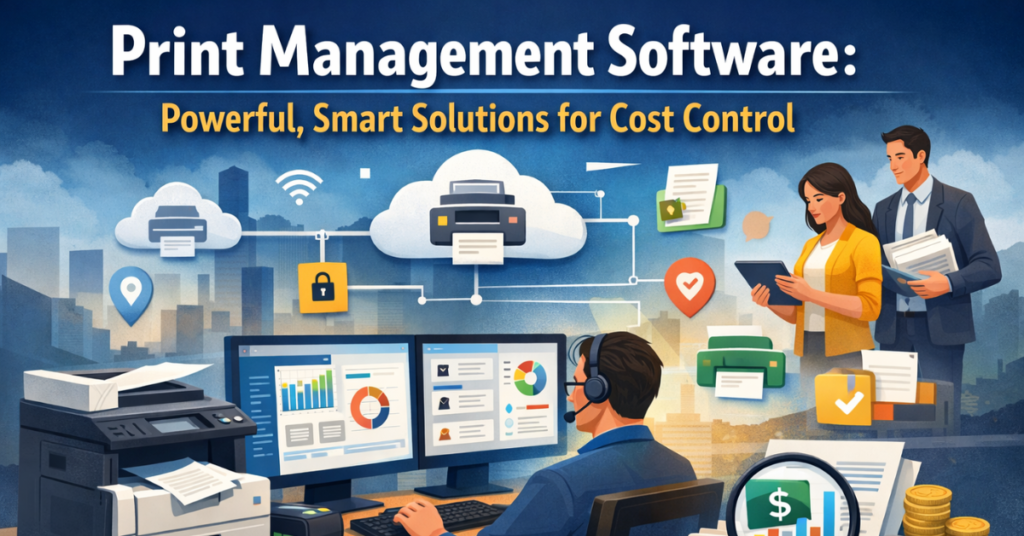
Printing remains a part of everyday work for many organizations across the United States, yet it can be costly and complex to manage. Print management software brings together all aspects of printing to help businesses, schools, hospitals, and large enterprises reduce costs, improve efficiency, and maintain control over printing.
This article explains how modern print management software works, why it matters, and how it supports cost control, security, and workflow management in environments that use many printers and devices.
What Is Print Management Software?
Print management software is a tool that manages a company’s entire print infrastructure from a single system. This software acts as a print management platform that allows IT teams to monitor print jobs, manage printer fleets, and control printing policies. It replaces the need for multiple manual systems or separate print servers. With this software, organizations can track print usage, enforce rules like print quotas, and see who is printing what.
When used well, centralized print management helps reduce unnecessary printing and gives organizations a clear picture of printing patterns. It supports many types of printing, including Windows, Linux, and Mac printing, and works with multi-vendor printers, so no device is left unmanaged.
How Print Management Software Works in Modern IT Environments?
In modern IT settings, print management software provides a single point of control for printing across local offices, remote sites, and cloud environments. This can include cloud print management or hybrid setups where some services are in the cloud, and some areon-sitee. A major advantage of modern software is that it can replace old Windows print server setups with serverless printing or cloud-based printing solutions.
Administrators use a centralized admin console to set priorities, apply print policy enforcement, and monitor print queues in real time. In addition to basic printing, these systems support functions like user authentication, printing, secure print release, and pull printing so that only authorized users get their printed materials. Monitoring and management happen across platforms and devices without the need for IT to visit each printer physically.
Why Print Management Software Is Critical for Cost Control?
The cost of unmanaged printing can be significant for many organizations. With enterprise printing demands often spread across departments, buildings, and remote workers, hidden printing costs can eat into budgets without clear visibility. Using print cost management tools, companies can reduce waste, gain printing cost transparency, and apply rules that limit unnecessary printing.
Features such as print quotas, print restrictions, and print accounting help track and assign responsibility for printing expenses. When printing habits are visible through print analytics and print reporting, decision makers can act to reduce costs and monitor how budgets are spent on consumables like toner and paper. This level of management plays a major role in print cost control and print cost reduction.
Core Challenges Businesses Face Without Print Management Software
Without print management software, businesses often struggle with fragmented systems that lead to lost productivity and rising costs. IT teams may spend hours handling printer issues, driver conflicts, and lost print jobs. Without proper print monitoring and print job tracking, organizations have no clear view of printer usage, making it hard to enforce rules or control budgets. Paper waste can increase when users print without restriction, and hidden costs accumulate over time. Lack of enforcement also puts organizations at risk for compliance issues when sensitive documents are printed without tracking or secure release.
Centralized Print Management Across All Environments
Centralized print management means that IT administrators can view and control all printers and print jobs from one interface. This includes machines in offices, classrooms, labs, and remote sites. A centralized system connects to all devices in the print environment and tracks jobs in real time. Administrators can see which printers are active, who is printing, and what types of documents are being produced. With a single view of the environment, issues such as low toner or error conditions can be resolved faster, saving time and reducing support calls. Centralized control also allows consistent policies to be applied across the entire organization so that rules are not different from one location to another.
Cloud-Based Print Management Software ExplainedCloud-based
Cloud-based printing and cloud print management have grown in popularity as organizations look for flexible ways to manage printing without heavy on‑site infrastructure. A cloud print management system removes the need for traditional print servers by moving the control plane into the cloud. This means that administrators can adjust settings, view print usage reports, and enforce security from anywhere with an internet connection. Cloud admin console tools also allow seamless updates and scaling, which is useful when new printers are added or when offices grow. Cloud systems support print workflow optimization by handling print jobs efficiently and often enable failover and redundancy functions that on‑site servers cannot match.
Enterprise Print Management Software for High Availability
Large organizations with many users need printing systems that are always available. Enterprise print management tools are designed to support high‑availability printing so that workflows continue without interruption. When printing is mission-critical, these systems use features such as load balancing and distributed job handling to keep printing stable even under heavy demand. In environments like finance, legal, or government, where print compliance and uptime are important, an enterprise solution ensures that users always have access to printing resources. The software also supports failover processes so that if one component fails, another can take over without losing print jobs.
Print Management Software for Remote & Virtual Desktop Users
Many companies now support hybrid workforces and remote office setups, which makes traditional printing systems difficult to support. Print management software addresses this by offering secure job routing to users, no matter where they work. This includes support forfollow-mee printing, where the user’s job waits until they authenticate at any printer in the network, and print anywhere capabilities that let people release their print jobs from different locations. These functions work with virtual desktop environments, including remote desktop and terminal services, giving remote workers the same quality of printing they would have in the office.
Centralized Printer Management for Multi‑Location Businesses
In organizations with multiple facilities, centralized printer management becomes a necessity. With many sites, it is difficult to maintain consistent print rules, monitor devices, and give users reliable access without a central system. Print management software connects all those sites into one platform, letting administrators enforce rules, monitor device health, and gather usage data across every location. Printer monitoring alerts can notify IT staff when toner is low or when a device reports an error. This saves trips to remote offices and helps keep the print environment stable. Centralized control also simplifies onboarding new sites into the system, reducing setup time and ongoing work.
Print Security and Compliance Through Print Management Software
Security is a core part of managing printed information. Sensitive documents can be left on printers without proper controls, leading to compliance risks. Print security features like encrypted printing, secure print release, and user authentication printing protect confidential information. In regulated industries, print compliance is necessary to meet legal and contractual requirements. Some solutions even support ISO 27001 printing, where security controls align with internationally recognized standards. By tracking who printed what and when, organizations can create audit trails that show responsible printing behavior and meet compliance standards.
“If you are exploring tax solutions, the Ultimate Ramsey Tax Software Review explains how its features help save time while avoiding costly filing mistakes.”
Automated Printer Assignment and Smart Print Routing
Modern systems offer automated printer assignment, so users do not need to spend time selecting the correct device. The software figures out the best printer based on the user’s location, job type, and priority. This improves service for users and reduces help desk calls. Smart print routing ensures that job requests are sent through the most efficient path and that heavy jobs do not block smaller, urgent ones. These routing rules help keep the print environment running smoothly without manual intervention.
Advanced Printer Driver Management Made Simple
Printer drivers can be a major source of headaches for IT teams. In environments with many different printers, driver installation and conflicts can waste hours. Print management software centralizes driver distribution so that administrators can push drivers from a central console instead of installing them on each device. This supportsvendor-agnosticc printing, meaning the system works smoothly with many brands without special setup. Managing drivers centrally reduces technical issues and improves uptime across the printer fleet.
Print Cost Management, Analytics, and Reporting Transparency
Organizations benefit from seeing a full picture of how printing affects budgets. Tools that support print analytics, print tracking, and print reporting provide detailed information about usage, costs, and trends. Some systems allow print job archiving and PDF print archive storage so documents can be reviewed later for billing or audit purposes. This transparency helps managers identify waste and make changes that improve financial outcomes. Without this visibility, organizations may miss opportunities to save money and improve internal processes.
Table: Example Print Cost Outcomes
| Outcome | What It Shows |
| Print usage reports | How many pages are printed over time |
| Print cost management | Dollars spent on consumables and labor |
| Print quotas | Limits placed on user or group printing |
| Printer monitoring alerts | Notifications when a device needs attention |
Sustainable Printing and Waste Reduction Strategies
Sustainability in printing relates to using fewer materials and reducing waste. When organizations use print quotas and print policy enforcement, waste decreases because users must think about what they print. Paper waste reduction is a major benefit of controlling print behavior. When reports show how often color printing is used versus black and white, leaders can adjust rules to promote more environmentally friendly printing. These actions contribute to overall savings and support broader sustainability goals.
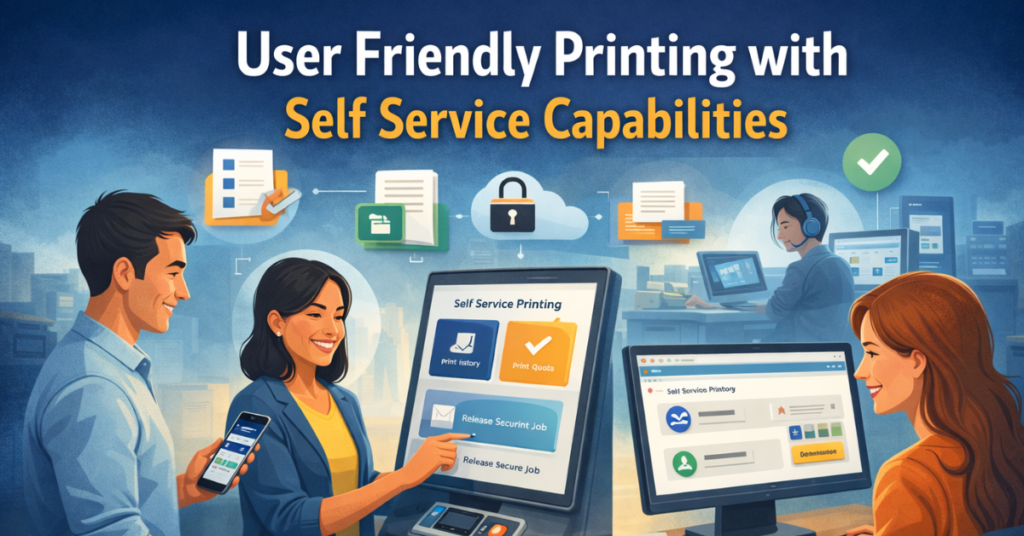
User‑Friendly Printing with Self‑Service Capabilities
Self‑service tools give users control without burdening IT staff. This can include letting users view their print history, check print quotas, or release secure jobs. A user interface that works through a browser or app reduces confusion and support calls. When employees can solve minor issues on their own, it frees IT to focus on larger tasks. Good self‑service features also help improve user satisfaction because people can manage their printing needs independently.
Print Management Software for Education Institutions
Schools and universities have distinctive printing needs. Educational print management systems help manage large numbers of student and faculty print jobs across campuses. This includes campus printing in libraries, labs, and classrooms. With library print control and rules for student printing, institutions can prevent abuse and reduce costs. These systems support different printing paths like direct IP printing, local USB printing, and server‑based setups, all while giving administrators a unified way to track and report usage.
Print Management Software for Healthcare Organizations
In healthcare settings, printing must be both secure and efficient. Healthcare print management systems help clinicians and staff with patient forms, records, and prescriptions while protecting patient information. The system’s support document security features prevent printed documents from being left on printers unattended. Functions like secure print release and encrypted printing keep data safe. Tracking and reporting also play a role in meeting internal and external compliance requirements, helping hospitals manage risk and reduce unnecessary work.
Real‑World Healthcare Printing Use Cases
Healthcare providers use print management software to support workflows where patient data is sensitive. For example, secure jobs might require authentication at a printer before release. Clinics benefit from centralized tracking to see who printed what and where. When print environments are tied to electronic medical record systems, jobs must be handled reliably and securely. These use cases show how print systems can support medical operations while protecting patient information.
Print Management Software for IT Service Providers
IT service providers that support multiple clients often include printing in their service offerings. For these providers, print management software delivers consistent management and centralized control across client sites. This allows them to standardize print policy enforcement, monitor usage, and integrate printing into broader IT support strategies. Offering print management as part of managed services adds value and helps clients get better control over their printing costs and security.
Managed Print Services Use Scenarios
In managed print environments, providers use print software to support daily operations, billing, and reporting. These scenarios often include regular automated print reports to clients, showing usage and cost metrics. Service level agreements can define response times for issues like printer errors or toner replacements. Managed services help clients avoid the internal work of troubleshooting and give them predictable costs through consolidated printing support.
Print Management Software for Hybrid Workforces
As hybrid work setups continue, organizations need printing support that works whether employees are in the office or remote. Remote printing functions like pull printing and print anywhere give hybrid workers the flexibility to release jobs from different sites or at home. This supports employees who travel or work from multiple locations. Systems that integrate with remote infrastructures help keep printing consistent and predictable, no matter where a print job originates.
Key Features to Look for in Print Management Software
A good print solution includes many features that support both business and technical needs. Important capabilities include support for enterprise print management, cloud print management, print tracking, and print auditing. Tools for print rules, print quotas, and print accounting help control costs. Features like secure print release and user authentication printing protect sensitive data. Scalability and support for hybrid work printing are also important so that the software can grow with the organization.
Benefits of Modern Print Management Software
Using smart print software gives organizations measurable benefits. They can reduce wasted paper and toner, reduce the time spent on printing issues, and gain clear insight into how printing affects their budgets. Having all these capabilities centrally managed makes it easier for IT leaders to plan and adjust policies. When users have reliable printing and administrators can tackle issues before they become problems, the whole organization works more smoothly.
How Print Management Software Improves IT Efficiency
Print management tools improve IT efficiency by reducing the time spent on printer issues and repetitive tasks. When drivers are managed centrally, and policies are enforced automatically, IT staff spend less time troubleshooting individual devices. Real-time alerts for issues like toner low or printer error help IT fix problems before they affect users. Better support for hybrid and remote printing also means fewer surprise help desk tickets, which gives IT room to work on strategic projects.
Choosing the Right Print Management Software for Your Business
Choosing the right system depends on how your organization prints. Consider whether you need cloud-based printing, serverless printing, or if a traditional on‑site model works best. Look at whether your environment has many sites or remote users. Evaluate features like print analytics, centralized admin console, and support for multi-vendor printers. Think about how the software integrates with existing systems like Active Directory and how easy it will be to manage daily operations once the system is in place.
Print Management Software Implementation Best Practices
Good implementation starts with planning. Test new systems in a pilot group before rolling them out company‑wide. Train IT staff and end users so that everyone understands how features like secure printing and self‑service portals work. Set policies based on your cost and security goals. Monitor changes after rollout so you can adjust rules that are too strict or not strict enough. Ongoing review of reports helps keep the system aligned with organizational needs.
Future Trends in Print Management Software
New developments in print management software include smarter analytics, better support for mobile and hybrid work, and advanced security models. As technology evolves, systems will provide improved visibility into print usage and help automate once manual tasks. Better integration with enterprise systems and more sophisticated reporting will help organizations manage print environments with less effort and more insight.
“Whether beginner or advanced, Best Free Music Production Software 2026 helps artists choose reliable tools to create amazing tracks efficiently.”
Frequently Asked Questions (FAQs)
What is print management software?
Print management software is a tool that helps organizations control and monitor all their printing activities. It tracks print jobs, manages multiple printers in a network, and gives administrators a way to control costs, secure sensitive documents, and reduce waste.
How does print management software reduce printing costs?
Print management software gives visibility into print usage, lets administrators set rules and quotas, and enforces settings like black‑and‑white or duplex printing. This kind of control helps lower paper and toner use, giving businesses measurable cost savings.
What does centralized print management mean?
Centralized print management means that all printers and print tasks in an organization are controlled from one place. IT administrators can see which devices are printing, track problems, and apply consistent rules across all offices, sites, or remote users.
Can print management software replace a print server?
Yes. Many modern print management platforms offer print server replacement capabilities by using cloud or serverless approaches. This removes the need for traditional on‑site print servers and simplifies the infrastructure.
What is cloud print management?
Cloud print management connects your printers and users to a web‑based service, so IT teams can control the print environment from anywhere. It supports cloud print services, remote printing, and gives detailed visibility into printer usage without heavy local infrastructure.
How does print management software support security?
Print management systems include features like secure print release, encrypted printing, and user authentication printing. These measures protect sensitive documents and stop unauthorized people from picking up print jobs, helping maintain document security.
What is secure print release?
Secure print release means that a print job does not print until the user verifies their identity at the printer. This prevents sensitive or confidential documents from sitting unattended on output trays.
Why is printer fleet management important?
Printer fleet management helps IT teams oversee all printers across a network. With good fleet management, teams see printer monitoring alerts, toner status, print error alerts, and can schedule maintenance so devices stay working longer.
Can print management software help with hybrid work printing?
Yes. Hybrid work printing support lets employees send jobs from the office or from home. Features like pull printing and print anywhere let users release jobs when they arrive at a printer, giving flexibility for remote and hybrid workforces.
What is print job tracking?
Print job tracking lets administrators follow each print request from start to finish. It records who printed what, how many pages, and where the job was completed. This is useful for cost analysis and enforcing rules.
What is the role of print analytics and print reporting?
Print analytics shows patterns in printing behavior and cost data, while print reporting gives formatted results that decision makers can review. Reports help show where savings are possible and where print behavior might need to change.
Does print management software work with any brand of printer?
Most modern systems are vendor-agnostic printing solutions. They work with multi-vendor printers, so businesses don’t have to worry about matching specific brands or models.
How is print auditing helpful?
Print auditing gives a detailed review of printing activities so administrators can see trends, check compliance, and identify unusual behavior. It supports transparency and accountability in how printing resources are used.
Can print management software support educational print needs?
Yes. Educational print management helps schools and campuses handle student printing, library printing, and lab printing. It supports quota settings and usage reporting, so print budgets are easier to manage.
What types of reports does print management software generate?
Print management platforms offer a range of automated results like print usage reports, print cost summaries, client billing printing, and project code printing reports. These reports help with budgeting and trackingthe organization’s printing over time.
Conclusion: Smarter Cost Control Starts with Print Management Software
When organizations implement strong print management software, they gain control over printing costs, improve security, and enhance productivity. By consolidating print infrastructure, reducing waste, and providing visibility into usage, companies can turn printing from a hidden cost into a managed business function. Whether for business print management or educational print management, the right system brings clarity and savings across every print environment.
Disclaimer:
“The information in this article is for educational purposes only. It provides general insights into print management software and related solutions. Readers should not consider it as professional advice. Organizations should evaluate software based on their own needs and risks before implementation.”
