
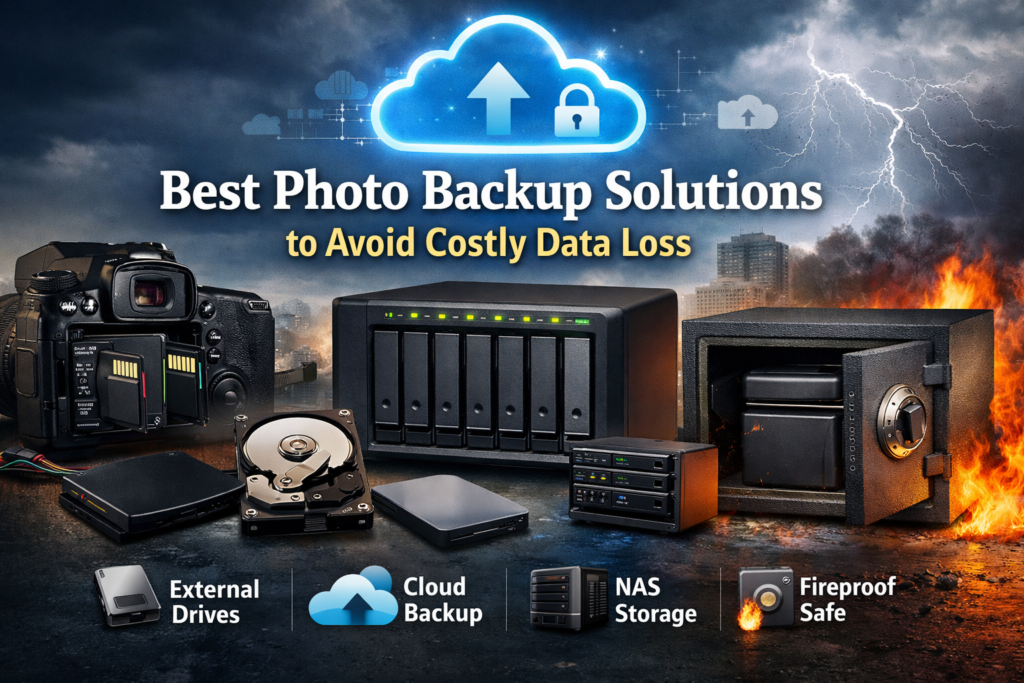
Photographers, whether professional or hobbyists, face the constant risk of losing precious image files due to accidental deletion, hardware failure, theft, or natural disasters. A reliable backup workflow protects your client’s work, personal projects, and creative investments.
This guide explores local storage, cloud backup, hybrid strategies, and secure storage solutions for data protection, helping photographers maintain data redundancy, storage reliability, and long-term storage. From external hard drives to NAS storage and cloud services, these best photo backup solutions are designed to keep your work safe and accessible across multiple devices.
Why Every Photographer Needs the Best Photo Backup Solutions
Every photographer should have a structured backup system. Image files are irreplaceable and represent both your creative effort and, for professionals, significant financial investment. Losing photos due to data corruption, accidental deletion, or hardware failure can cause permanent damage. Professional photographers depend on reliable backup drives, cloud storage, and fireproof safes to protect client work and personal projects. Hobby photographers also benefit from secure cloud access, backup automation, and multi-device access to prevent loss of memories. A solid backup workflow ensures file sharing, photo management, and image security, giving peace of mind and professional reliability.
The Real Cost of Photo Data Loss in 2026
In 2026, losing image files can result in more than emotional stress. Surveys show that 30% of small businesses experience permanent data loss from hardware failure or accidental deletion. For professional photographers, losing a client’s images could mean losing reputation and income. Recreating lost work may cost hundreds or thousands of dollars, while hobby photographers could lose memories that cannot be reproduced. Secure storage using external hard drives, NAS storage, cloud backup, and fireproof safes mitigates these risks. Implementing a professional backup workflow ensures disaster recovery, storage reliability, and long-term storage for digital archives.
Understanding the 3-2-1 Backup Rule for Photographers
The 3-2-1 rule is a standard for data security. Photographers should keep three copies of each file on two different storage types, with one copy offsite. For example, using an external hard drive and a NAS system locally, while also maintaining a cloud backup. This method protects against data corruption, hardware failure, and disasters like fire or theft. Automatic backup, storage automation, and multi-device access make this rule manageable, ensuring data redundancy, secure uploads, and disaster recovery without added complexity.
In-Camera Protection: First Step of Smart Backup
The first line of defense begins with your camera. Modern cameras often have dual card slots, allowing photographers to save images simultaneously to two cards. Using the second card as a backup reduces the risk of losing files. Pairing this with smart previews and Lightroom backup prepares images for file sync to external hard drives, NAS storage, or secure cloud storage. Early data protection in-camera minimizes the chance of data loss and simplifies later image organization and photo management.
Memory Card Backup Strategies That Reduce Risk
Backing up memory cards promptly is essential. After every shoot, transfer files to backup drives, NAS storage, or cloud storage plans. Using high-quality SD or CFexpress cards reduces data corruption risks, and storing one copy in a fireproof safe ensures protection against fire or theft. Automatic backup workflows make the process seamless, providing secure cloud access, backup automation, and remote access across devices. This foundation strengthens your professional backup workflow and protects client work.
Local Storage Backup Options Explained
Local storage remains a core part of backup strategy. Using external hard drives, RAID or JBOD configurations, and NAS storage allows photographers to manage high-capacity storage while keeping image files quickly accessible. Local storage also integrates with Lightroom backup, desktop apps, and photo management tools, supporting multi-device access, file sync, and secure uploads. Pairing with a fireproof safe adds fire protection and guarantees safe storage for backup drives.
External Hard Drives (HDD vs SSD)
Choosing between HDD and SSD depends on storage needs. HDDs provide larger storage capacity at a lower price, ideal for archiving image files. SSDs offer faster sync speeds, durability, and lower risk of data corruption, which is useful for professional photographers managing client work. Using sync software, you can create backup automation between drives and ensure data redundancy.
RAID & JBOD Configurations
RAID (Redundant Array of Independent Disks) and JBOD (Just a Bunch of Disks) allow photographers to store data across multiple drives for data protection. RAID levels like RAID 1 or 5 offer data redundancy, while JBOD provides simple file sync between drives. Both methods improve storage reliability, reduce the risk of data corruption, and can integrate with NAS storage systems for secure backups.
Network Attached Storage (NAS) Systems
NAS storage provides centralized, high-capacity storage with remote access. It is ideal for professional backup, offering multi-device access, cloud sync, and backup automation. Using NAS systems with fireproof safes and secure cloud backup ensures disaster recovery while maintaining storage scalability for expanding digital archives.
“Mac users looking for powerful editing software can explore this 2026 guide covering performance, key features, and workflow-friendly photo software.”
Cloud-Based Best Photo Backup Solutions in 2026
Cloud backup has become a reliable solution for photographers seeking off-site backup. Cloud storage provides secure uploads, storage scalability, and data recovery without physical infrastructure. Fast upload speeds and desktop apps allow seamless integration intothe digital workflow. Modern cloud services offer privacy protection, AES 256-bit encryption, client-side encryption, and zero-knowledge encryption, making them suitable for both hobby photographers and professional photographers handling client work.
Cloud Storage vs Cloud Backup Services
Cloud storage allows you to store and access image files anytime, supporting file sharing and photo management. Cloud backup services focus on data redundancy and secure backups with automated backup automation. For photographers, combining both ensures remote access, storage reliability, and disaster recovery.
AI-Powered Photo Organization & Search
Modern cloud services support image organization through AI-driven tools. Smart previews, folder permissions, and encrypted folders make photo management and client work more efficient. Features like file organization, secure cloud, and cloud workflow streamline digital storage, allowing fast cloud access and secure file sharing.
Hybrid Backup Strategy: Combining Local and Cloud
A hybrid backup strategy merges local storage with cloud backup, ensuring both high-capacity storage and off-site backup. External hard drives, NAS storage, and cloud storage plans work together for secure backups. This approach maximizes storage reliability, provides multi-device access, and protects against data corruption, fire, or hardware failure.
Automated vs Manual Backup Workflows
Automated backup workflows reduce human error by syncing files, performing automatic backups, and maintaining data redundancy. Manual workflows allow control over file organization and selective backup drives,s but require more effort. Photographers benefit from combining both, using desktop apps, mobile access, and cloud backup for storage management and data loss prevention.
Step-by-Step Professional Photo Backup Workflow
A professional workflow might include:
- Using dual camera card slots to capture image files.
- Creating smart previews for faster photo management.
- Exporting to external hard drives or NAS storage.
- Syncing with JBOD backup or RAID systems.
- Uploading to cloud storage with AES 256-bit encryption and secure cloud access.
- Storing one backup drive in a fireproof safe for disaster recovery.
This ensures data security, cloud workflow integration, and long-term storage for both professional backup and hobby photographers.
Best Photo Backup Solutions for Different Photographer Types
Different photographers have different needs. Wedding photographers need fast sync speeds, secure file sharing, and multi-device access. Travel and wildlife shooters benefit from high-capacity storage, offsite backup, and mobile access. Commercial studios rely on NAS storage, cloud services, secure infrastructure, and backup automation for client work.
Best Photo Backup Solutions for Wedding Photographers
Wedding photographers require data redundancy and secure file sharing. Using external hard drives, cloud backup, and desktop apps ensures backup automation and fast cloud access. Encrypted folders and client-side encryption protect client work.
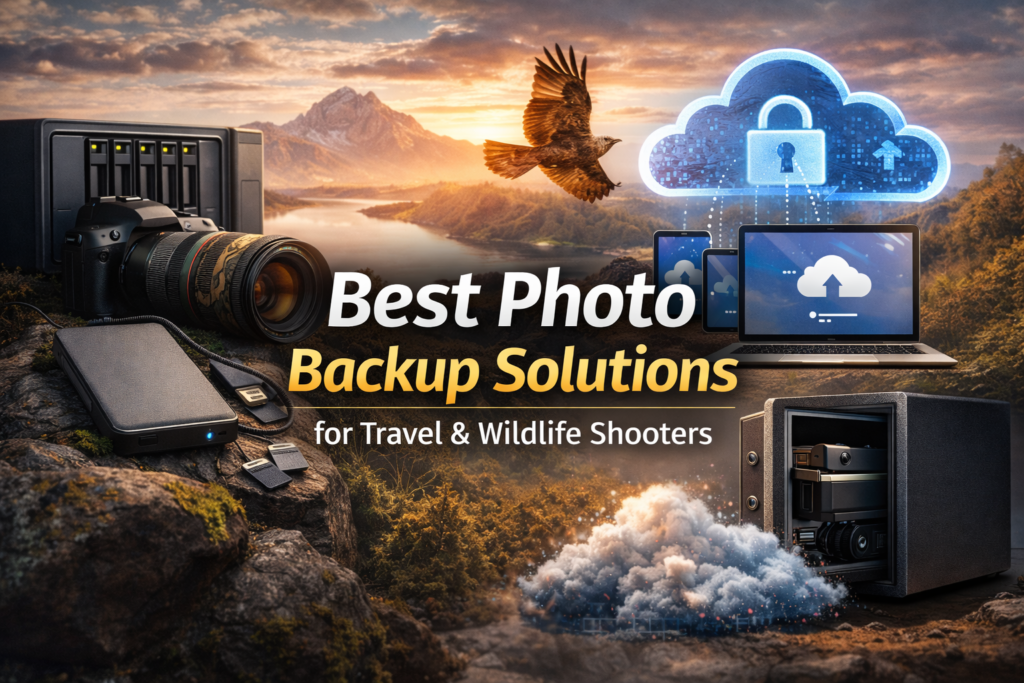
Best Photo Backup Solutions for Travel & Wildlife Shooters
Travel photographers need remote access, high-capacity storage, and secure cloud solutions. Cloud storage plans with storage scalability and automatic backup prevent data loss while on the road. Fireproof safes and NAS storage protect image files at home.
Best Photo Backup Solutions for Commercial Studios
Commercial studios require professional backup systems. Combining RAID, NAS storage, cloud services, and encrypted storage ensures data security, cloud ecosystem integration, and storage reliability. Folder permissions, password protection, and access control safeguard client work.
Comparing Top Cloud Storage Services for Photographers
| Service | Key Features | Storage Plans | Security | Notes |
| Adobe Lightroom | Editing + Backup | 1TB subscription | AES 256-bit | Integrated with Lightroom software |
| Google Photos | Smart search, sharing | Free 15GB / Paid | AES 256-bit | No client-side encryption |
| Microsoft OneDrive | Folder sync, collaboration | 1TB subscription | AES 256-bit | Web and desktop apps |
| Amazon Photos | Unlimited Prime storage | Subscription | AES 256-bit | Best for Amazon Prime users |
| Apple iCloud Photos | Sync across Apple devices | 5GB free / Paid | AES 256-bit | Desktop + Mobile access |
| pCloud | Client-side encryption option | 2TB lifetime / subscription | AES 256-bit, encrypted folder | Excellent cloud privacy |
| Sync.com | Built-in client-side encryption | 2TB / 6TB | AES 256-bit, zero-knowledge | Strong privacy protection |
| Internxt | Zero-knowledge, quantum cryptography | Lifetime 3TB | AES 256-bit | Affordable secure cloud |
Security Features That Truly Protect Your Photos
Encryption, secure file sharing, access control, and password protection prevent unauthorized access. Client-side encryption and zero-knowledge encryption add extra layers for image security, while AES 256-bit encryption protects files during transfer and storage.
Encryption, Zero-Knowledge & Privacy Protection
Services like Sync.com, pCloud, and Internxt provide encrypted storage, encrypted sharing, and privacy features. Zero-knowledge encryption ensures only you can access your image files, supporting data security, secure uploads, and client work protection.
Protecting Your Photos from Ransomware Attacks
Ransomware can encrypt your image files and demand payment. Using cloud backup, NAS storage, and fireproof safe storage helps prevent data loss, while backup automation ensures secure backups are always up-to-date.
How to Test and Verify Your Backup System
Regularly test your backup system by restoring image files from cloud storage, external hard drives, or NAS storage. Confirm sync software works, file organization remains intact, and encrypted folders function properly. Verification reduces the risk of data corruption or data loss during emergencies.
Long-Term Archiving vs Active Project Storage
Active projects require fast sync speeds, multi-device access, and desktop apps for editing. Long-term storage focuses on secure backups, fire protection, and data redundancy. Combining both ensures storage scalability and storage management for current work and historical digital archives.
Cost Breakdown: Budget vs Premium Backup Systems
Budget solutions may use external hard drives and cloud storage plans with minimal subscription plans, while premium setups include NAS storage, encrypted folders, lifetime plans, and secure cloud infrastructure. Evaluating costs alongside data protection ensures photographers balance storage reliability, high capacity storage, and secure cloud access.
Desktop vs Web Backup Applications
Desktop apps simplify backup automation, file sync, and image organization. Web apps provide remote access but may require manual uploads, slowing photo management. Combining both supports a cloud ecosystem, secure cloud access, and storage scalability.
Lifetime Cloud Plans: Are They Worth It?
Lifetime plans reduce recurring costs while providing secure cloud storage, storage scalability, and storage reliability. Services like pCloud and Internxt offer encrypted storage, secure uploads, and backup automation, giving photographers peace of mind and long-term data loss prevention.
Lightroom and Photo Editing Software Backup Integration
Integrating Lightroom backup with desktop apps or cloud storage allows smart previews, image organization, and automatic backup. This combination keeps image files safe while supporting digital workflow, multi-device access, and secure file sharing.
Disaster-Proof Storage: Fire, Theft & Hardware Failure
Using fireproof safes, NAS storage, and cloud backup mitigates risks from fire, theft, or hardware failure. Combining secure backups, data redundancy, and off-site backup ensures backup drives remain protected while maintaining storage management and remote access.
Common Photo Backup Mistakes to Avoid
- Relying on a single external hard drive.
- Ignoring cloud backup oroff-sitee storage.
- Not verifying sync software or backup automation.
- Using low-quality memory cards without data protection.
- Failing to encrypt client work or personal image files.
Future Trends in Photo Backup Technology (2026+)
Photographers can expect AI-powered photo organization, quantum cryptography, storage automation, and encrypted sharing to improve cloud workflow, secure backups, and digital archives. Multi-device access, remote access, and high-capacity storage will continue to evolve.
“If you are new to photo editing, this 2026 beginner guide highlights easy-to-use software with simple interfaces and essential editing features.”
Frequently asked questions (FAQs)
How often should photographers back up their image files?
Photographers should back up their image files after every shoot or editing session. Regular automatic backup to external hard drives, NAS storage, and cloud storage plans ensures no files are lost due to accidental deletion or hardware failure. Maintaining multi-device access allows photographers to recover images quickly if needed.
What is the safest way to store wedding photography files?
For wedding photography, combining external hard drives, cloud backup, and fireproof safe storage provides the safest protection. Using client-side encryption or zero-knowledge encryption on cloud services ensures secure file sharing with clients without compromising privacy.
Should I use HDDs or SSDs for photo backup?
HDDs provide larger storage capacity at a lower cost, making them ideal for long-term storage. SSDs offer faster sync speeds, greater durability, and reduced risk of data corruption, which benefits professional photographers handling frequent file uploads and editing.
What is the 3-2-1 backup rule for photographers?
The 3-2-1 backup rule means keeping three copies of each photo on two different storage types, with one copy offsite. This protects against hardware failure, fire, and data loss, and is often achieved using backup drives, NAS storage, and cloud storage simultaneously.
How can I protect my photos from ransomware?
Using secure cloud backup, fireproof safes, and data redundancy protects image files from ransomware attacks. Regular backup automation, encrypted storage, and AES 256-bit encryption ensure image security even if a device is compromised.
What is the difference between cloud storage and cloud backup?
Cloud storage allows photographers to access, file share, and organize image files online. Cloud backup focuses on data redundancy, automatic backup, and secure cloud recovery. Combining both provides long-term storage, data security, and remote access.
How do NAS systems help photographers with backups?
NAS storage provides centralized high-capacity storage with backup automation, cloud sync, and multi-device access. It allows photographers to manage image files, maintain storage scalability, and integrate desktop apps for Lightroom backup.
Are lifetime cloud storage plans worth it for photographers?
Yes, lifetime plans reduce ongoing subscription plans and provide secure cloud access, encrypted storage, and storage scalability. Services like pCloud and Internxt allow backup automation and data redundancy without recurring costs, saving money over time.
Can Lightroom be used for photo backup?
Lightroom backup works for storing image files, but deleting photos from Lightroom also deletes them from the cloud. Pairing Lightroom with external hard drives, NAS storage, or secure cloud storage ensures proper photo management and image security.
How can photographers share photos securely with clients?
Using encrypted folders, password protection, and folder permissions on cloud storage or NAS storage allows photographers to provide secure file sharing. Access control ensures clients can view or download only the images they are allowed to access.
What storage capacity do photographers need?
Storage needs depend on your workflow. Hobby photographers may need 1-2TB, while professional photographers handling client work or RAW files may need 6TB or more. NAS storage and cloud storage plans with high-capacity storage provide flexibility for growing archives.
Is cloud backup safe for privacy-conscious photographers?
Yes, services like Sync.com, pCloud, and Internxt provide client-side encryption, zero-knowledge encryption, and AES 256-bit encryption. These features ensure image security, encrypted sharing, and privacy protection while supporting cloud workflow and remote access.
What is the best workflow for travel photographers?
Travel photographers benefit from remote access, mobile access, cloud sync, and high-capacity storage. Using backup drives, NAS storage, and cloud services ensures image backup on the go, while automatic backup and storage automation prevent data loss during travel.
How can I verify that my backup system works?
Photographers should regularly test backup drives, cloud backup, and NAS storage by restoring a few image files. Verifying file uploads, encrypted folders, and sync software ensures secure backups and protects against data corruption or data loss.
Can hobby photographers benefit from professional backup systems?
Yes, hobby photographers gain peace of mind using external hard drives, cloud storage plans, and backup automation. Even small setups with desktop apps, cloud access, and secure file sharing protect image files from hardware failure or accidental deletion.
Final Recommendations: Choosing the Best Photo Backup Solutions
For most photographers, a combination of external hard drives, NAS storage, cloud storage plans, and fireproof safes ensures secure storage, backup automation, data redundancy, and long-term storage. Services like pCloud, Sync.com, and Internxt provide client-side encryption, AES 256-bit encryption, and zero-knowledge encryption, keeping image files safe for professional and hobby photographers. Implementing a hybrid backup strategy protects against data loss, data corruption, and disasters, supporting a reliable digital workflow for years to come.
Disclaimer:
“The information in this article is for educational purposes only. It does not constitute personal advice. Readers should use professional judgment when implementing photo backup solutions, as risks like data loss or hardware failure may occur.”
