
The world of business has changed rapidly, and companies that want to grow must adopt tools that help them manage complex operations. An enterprise software solution brings together different business software tools into one system that helps organizations run smoothly every day. Whether it handles sales, customer relationships, finances, inventory, or automation solutions across departments, this kind of software helps companies spend less time on repetitive tasks and more time focusing on strategic goals.
This guide explains what an enterprise software solution is, why it matters in 2026, how it works, what features to look for, and how businesses can benefit from adopting the right software solutions.
What Is an Enterprise Software Solution?
An enterprise software solution is a large‑scale technology system that connects a company’s core business functions into one set of tools. It is different from regular business software because it supports complex processes across many departments at once. These kinds of systems often include ERP software, CRM tools, BI tools, custom software, and automation solutions that help a business grow and stay competitive.
Enterprise software makes it possible to trackreal-timee data across departments, manage workflow automation, integrate custom applications, and bring together data science, machine learning, and business intelligence. With a strong enterprise system in place, companies no longer have to manage separate tools for customer management, finance, and inventory. Instead, every part of the business can see the same updated information, which improves decision‑making and saves time.
Why Modern Businesses Need an Enterprise Software Solution in 2026
By 2026, most successful companies will rely on advanced enterprise software solutions to handle digital transformation. The business world is no longer driven only by products or services. It is driven by speed, accuracy, and efficiency. Companies that do not embrace automation solutions and scalable systems find it harder to stay competitive.
With cloud deployment and SaaS platform models becoming standard, organizations can now access powerful tools like industrial automation, IoT solutions, and advanced analytics without investing heavily in hardware. Mobile access and enterprise apps allow teams to work from anywhere, and real-time data reporting gives managers the visibility they need to make quick and informed decisions. From small businesses to large corporations, the trend is clear: investing in a strong enterprise solution supports long‑term business growth.
Core Benefits of Using an Enterprise Software Solution
A major advantage of an enterprise software solution is the way it combines business process automation with data accessibility. When companies adopt these systems, they often see improvements in productivity tools, efficiency, and operational visibility. For example, using workflow management tools and dashboard reporting makes it easy for teams to follow the same procedures and see the status of work instantly.
Enterprise software also improves financial transparency. With a finance module built into the system, businesses can track invoicing automation, credit management, and debt collection more easily. Inventory management and warehouse management become more accurate when real-time data is available through mobile applications. These systems give companies the ability to manage procurement automation, stock levels, distributor management, and retail execution without needing multiple separate tools.
Key Features Every Enterprise Software Solution Must Include
A strong enterprise solution should include several key features that help a business run smoothly. These include tools for workflow automation, cloud hosting, machine learning insights, and mobile access. Each of these helps businesses reduce repetitive work and focus on strategic planning.
Workflow Automation
Workflow automation means using software to perform routine tasks without humans having to do them manually. This can include everything from approving purchase orders to processing returns and updating inventory levels. When processes run automatically, companies reduce errors and speed up daily operations. Workflow automation solutions are especially useful in departments like sales, finance, and supply chain management because they eliminate manual steps and allow employees to focus on important work.
Cloud Hosting & Scalability
Cloud hosting means that the enterprise solution runs on servers that are maintained on the internet instead of being stored and operated from the company’s own physical machines. This allows businesses to grow without worrying about buying new hardware. Cloud enterprise platforms make it possible for teams in different locations to work together using the same system. A scalable solution means that as a business grows, the software can support more users, more data, and more functions without slowing down. Disaster recovery and server deployment options keep data safe, and cloud services can deliver updates automatically.
AI, Machine Learning & Data Intelligence
Modern enterprise solutions often include AI and ML solutions and analytics automation that help companies understand complex patterns in their data. Machine learning tools like TensorFlow and SparkML allow businesses to build models that predict trends, improve customer analytics, and guide strategic decisions. When integrated with data science and business intelligence systems, these tools provide powerful insights that help companies improve performance tracking and process control.
Mobile & Remote Access
Mobile access means employees can use enterprise apps on phones and tablets, not just on desktop computers. Many businesses now rely on mobile offline features so field sales teams can still access tools even when they are away from internet coverage. Mobile access improves communication, reduces delays in updating records, and makes it easier for managers to respond quickly to changes in operations.
“Optimize your operations with Print Management Software: Powerful, Smart Solutions for Cost Control, cutting waste and boosting efficiency effortlessly.”
Types of Enterprise Software Solutions Explained
Not all enterprise software solutions are the same. Some companies need ERP software to manage finance, HR, inventory, and procurement. Others may need CRM tools to manage customer relationships and sales automation. BI tools help leaders make sense of large amounts of data, and custom software can be built to meet specific business needs. SaaS platform models let companies subscribe to software rather than purchase it outright, making advanced tools more affordable and easier to maintain.
Custom vs SaaS Enterprise Software Solution
A custom software solution is designed exactly for a business’s individual needs. It fits the way the company operates and can connect deeply with specific processes like trade automation or loyalty software programs. Custom software is ideal for businesses with unique workflows or complex systems. On the other hand, a SaaS platform provides ready‑to‑use tools that are hosted in the cloud. SaaS solutions are usually easier to set up, and they come with ongoing support and updates from the provider. Businesses that want to start quickly with lower initial investment often choose SaaS, while larger enterprises with tailored needs may choose custom applications.
Business Process Automation and Digital Transformation
Business process automation helps companies run tasks consistently and accurately, while digital transformation means improving how a business operates using technology. Companies that adopt enterprise software solutions often combine workflow automation with digital tools like analytics insights and real-time data reporting. This approach helps them keep up with customer demands, manage warehouse stock more effectively, and support field sales teams with powerful enterprise apps.
Industry‑Specific Enterprise Software Solution Use Cases
Different industries benefit from enterprise software in specific ways. For example, in the FMCG & distribution industry, companies use supply chain and inventory management tools to speed up deliveries, reduce delays, and manage multiple warehouses. In the pharmaceutical industry, businesses use BI tools and product tracking systems to maintain quality standards and follow regulations.
Manufacturing and industrial companies rely on automation solutions and control systems to keep expensive machinery running and to track production schedules. Retail and sales teams benefit from CRM tools and Salesforce automation that help them manage customer interactions, monitor transaction uploading, and scale sales distribution across multiple regions.
FMCG & Distribution
In FMCG & distribution, real-time data helps companies make faster decisions. For example, when a warehouse shows low inventory levels, the system can automatically trigger a procurement automation process. This reduces the risk of stockouts and helps businesses serve customers without interruption.
Pharmaceutical
For pharmaceutical companies, enterprise software must handle complex regulations, tracking of lot numbers, and strict quality standards. ERP software in these industries supports process control and financial transparency, helping businesses meet compliance requirements while managing costs.
Manufacturing & Industrial
Manufacturers manage production lines using industrial automation and PLC programming. These systems connect sensors, equipment, and software to track production, manage quality checks, and schedule maintenance. IoT solutions and IoT gateway tools help gather real-time information from machines and feed it into analytics systems.
Retail & Sales Teams
Retail businesses rely on CRM tools to manage customer relationships and Salesforce automation to track sales performance. Retail execution tools help companies coordinate promotions, manage flexible pricing and promotional schemes, and connect front‑line staff with central reporting tools that show performance across regions.
Sales Force Automation and Field Operations Tools
Sales force automation solutions help sales teams track leads, monitor sales pipelines, and coordinate field activities. When tied into a larger enterprise solution, these tools work closely with customer analytics and revenue reporting. They provide field sales teams with data even when they are away from the office, helping close deals faster and track sales trends more clearly.
Data Science, Analytics, and Business Intelligence Integration
When an enterprise software solution includes data science and business intelligence, companies gain deeper insights into performance. Analytics tools can bring together data from operations, sales, finance, and supply chain to show managers exactly how the business is performing. This makes it easier to spot trends, forecast future needs, and plan resources.
Cloud Services, Security,y and Compliance Standards
Cloud services have become a standard part of enterprise software. They allow companies to store and manage data on secure servers that can scale with business growth. Security, compliance standards, and disaster recovery plans are built into many cloud enterprise systems to protect data and keep it available at all times.
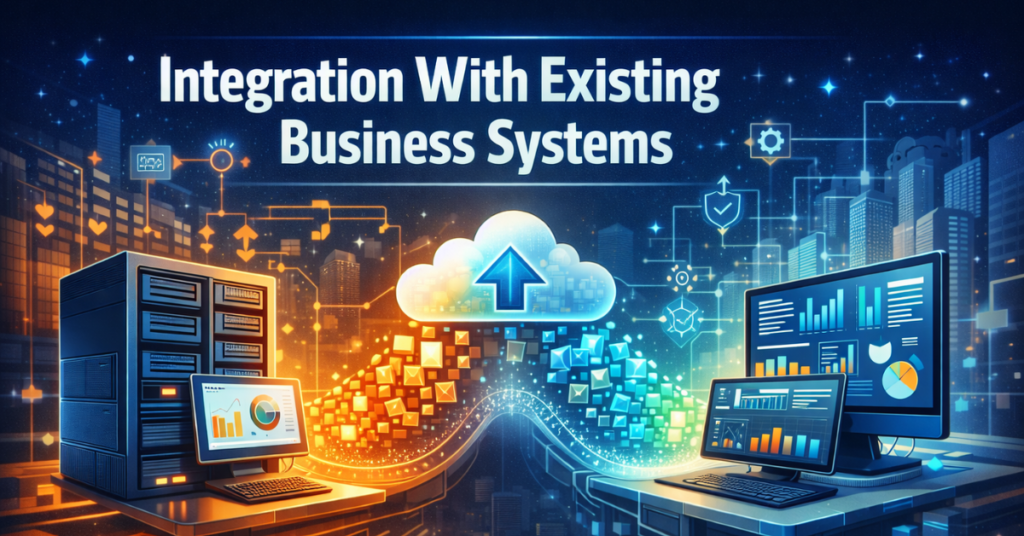
Integration With Existing Business Systems
One of the biggest benefits of an enterprise software solution is that it can connect with existing business systems. Whether a company uses old premises systems or modern cloud platforms, integration makes it easier to share data and automate processes across departments.
Mobile Apps and On‑the‑Go Productivity
Enterprise apps designed for mobile access let workers update information from anywhere. This is especially useful for field sales teams, inventory managers, and service technicians who need real-time tools while working outside the office. Mobile access increases productivity tools and keeps everyone in sync.
How Enterprise Software Improves Customer Relationships
A strong enterprise solution brings together customer data from CRM tools, analytics insights, and customer service records. This helps companies understand what customers want and tailor services that build stronger relationships. Customer analytics helps support teams respond quickly and manage interactions more personally.
Inventory, Supply Chain, and Workflow Management
Inventory management and warehouse management become easier when data flows through the same system. Workflow management tools help companies track goods from the supplier to the customer, reducing delays and improving order accuracy. These tools help businesses keep up with demand and plan for future needs.
Comparing Top Enterprise Software Solution Platforms
Companies often compare different providers based on features, scalability, and cost. Some platforms focus more on ERP software, while others combine CRM tools, BI tools, and custom dashboards. The best choice depends on a company’s industry and its unique business needs.
Pricing Models and Total Cost Breakdown
Pricing for enterprise software varies widely. SaaS platforms usually charge monthly or yearly fees based on the number of users. Custom software can involve higher upfront costs but may be more tailored to specific business functions. On-premises systems may require additional investment in hardware and maintenance.
How to Choose the Right Enterprise Software Solution
When choosing an enterprise software solution, businesses should think about their current needs and future growth. They should consider how easy the system is to use, whether it can connect to existing systems, and how much support they will receive. Scalability, mobility solutions, and cost-effective options are all important factors.
Step‑by‑Step Implementation Guide
Implementing a new enterprise solution takes planning. Businesses should begin by documenting their current processes and identifying areas that need improvement. They should involve key teams in the planning process, provide training on new tools, and monitor progress after deployment to make improvements as needed.
Migration From Legacy Systems
Moving from older systems to a modern enterprise platform often includes transferring data and adjusting processes. This step can be challenging, but a thoughtful migration plan that includes testing and validation helps reduce risk and keep operations running during the transition.
Best Practices for Deployment and Training
Deploying new software should happen in phases so teams can adjust gradually. Training programs that cover real-world scenarios help employees use the tools more confidently. Providing ongoing support after deployment helps teams get the most from their investment.
Measuring ROI and Business Performance
To measure success, businesses can track improvements in efficiency, reductions in manual work, and revenue increases. Regularly reviewing performance data helps companies understand how well their enterprise solution is working and identify opportunities for further improvement.
Real Case Studies and Success Stories
Many companies have improved their operations with well‑chosen enterprise software solutions. In these success stories, businesses often report faster reporting, clearer inventory visibility, and better coordination between sales, finance, and operations.
Reviews, Ratings, and User Feedback
User feedback can help businesses understand how well a system works in daily use. Reviews often highlight ease of use, quality of customer support, and how effectively the system handles common business tasks.
Common Challenges and How to Avoid Costly Mistakes
Some challenges include resistance to change, unclear requirements, and gaps in training. Businesses can avoid these issues by involving teams early in the process, setting clear goals, and providing strong support during rollout.
Future Trends in Enterprise Software Solutions
Future enterprise systems may include even more advanced analytics, integration with new types of devices, and smarter automation. As technology evolves, these solutions will continue to help businesses remain efficient and competitive.
AI, Io, T, and Next‑Gen Automation Innovations
Advanced IoT solutions and protocols like the MQTT protocol and the AMQP protocol help connect hardware and software, bringing real-time data into enterprise systems. Tools such as Hadoop stack and WiFi controllers work with custom dashboards to give companies a richer view of their operations.
Enterprise Software Security Risks and Protection Tips
Security is a major concern for any business using digital tools. Companies must protect their data with secure login methods, encryption, and regular system updates. Cloud hosting providers often offer strong security as part of their service, and many enterprise solutions include built‑in tools for compliance with industry standards.
Trusted Vendors and Support Services
Selecting a vendor that offers strong professional services, global services, and ongoing support helps businesses get the most from their new system. Support includes training, custom software updates, and help during upgrades.
“Stay accurate and save time with Ultimate Ramsey Tax Software Review: Save Time or Risk Mistakes], ensuring compliance and smarter financial decisions.”
Frequently Asked Questions (FAQs)
What is an enterprise software solution?
An enterprise software solution is a system that connects multiple business functions into one platform. It helps companies manage operations like finance, sales, inventory, customer relations, and workflow automation efficiently, so employees and management can work with the same accurate data.
How does enterprise software improve business productivity?
By integrating business software like ERP, CRM, and BI tools, enterprise solutions reduce manual work, automate routine tasks, and provide real-time data. This increases efficiency, speeds up operations, and allows employees to focus on important business goals.
What industries benefit most from enterprise software solutions?
Industries such as FMCG, pharmaceuticals, manufacturing, and retail gain the most. Enterprise software helps with supply chain management, inventory visibility, financial transparency, field sales, and workflow management across multiple locations.
What are the key features of an enterprise software solution?
Key features include workflow automation, mobile access, cloud hosting, data science insights, sales force automation, inventory management, ERP and CRM integration, financial transparency tools, and reporting dashboards for operational visibility.
Should my business choose custom software or a SaaS platform?
If your business has unique workflows or complex processes, custom software is the best fit because it can be tailored to your needs. For companies looking for faster deployment and lower upfront costs, a SaaS platform offers ready-to-use tools with cloud deployment and continuous support.
How does workflow automation work in enterprise software?
Workflow automation uses software to perform repetitive tasks like order approvals, transaction uploading, inventory updates, and reporting. This reduces errors, saves time, and ensures consistent processes across teams.
Can enterprise software be accessed on mobile devices?
Yes, most enterprise apps support mobile access, including offline features. Field sales teams, inventory managers, and remote employees can access the system anywhere, update records in real time, and stay connected with headquarters.
What is the role of cloud hosting in enterprise solutions?
Cloud hosting allows your software to run on remote servers instead of on-premises hardware. It makes scaling easier, provides disaster recovery options, and ensures teams in different locations have access to the same real-time data without worrying about server maintenance.
How does enterprise software support inventory and warehouse management?
Enterprise software provides visibility of warehouse stock, tracks inventory levels, automates procurement, and manages distribution networks. Multi-warehouse support ensures smooth supply chain operations and reduces the risk of stockouts or overstocking.
How do sales automation and Salesforce automation help businesses?
Sales automation tools track leads, manage field sales teams, monitor transactions, and provide customer analytics. They improve efficiency in retail execution, pricing management, and credit management, and ensure that sales teams stay aligned with business goals.
Can enterprise software help with financial management?
Yes, built-in finance modules manage invoicing automation, debt collection, distributor finances, and transaction reporting. This brings financial transparency and helps businesses track revenue, credit, and expenses more accurately.
How does enterprise software enable digital transformation?
By combining business process automation, analytics insights, and mobility solutions, enterprise software helps companies operate more efficiently, improve decision-making, and modernize operations. Digital transformation becomes simpler when all departments are connected through a unified platform.
What are common challenges when adopting enterprise software?
Common challenges include resistance from staff, gaps in training, difficulty migrating legacy data, and choosing the wrong software for business needs. These challenges can be avoided with proper planning, phased deployment, and clear staff support.
How does enterprise software improve customer relationships?
With CRM tools, reporting dashboards, and customer analytics, enterprise software helps businesses understand customer behavior, respond quickly, manage loyalty programs, and deliver better service. This builds stronger relationships and improves retention.
How can businesses measure ROI from an enterprise software solution?
ROI can be measured by tracking improvements in efficiency, reductions in manual work, accuracy in inventory and finance, speed of sales operations, and overall business growth. Regular reporting and analytics insights make it easier to evaluate performance.
Final Thoughts: Building Smart Growth With the Right Enterprise Software Solution
An enterprise software solution is more than just technology. It becomes part of a company’s foundation that supports better decisions, clear communication, and organized business processes. By selecting the right software solutions, companies gain the tools they need for consistent growth and stronger performance in the years ahead.
Disclaimer:
The content in this article is for educational purposes only. It provides general information about enterprise software solutions and business processes. It is not personal advice. Readers should evaluate risks and consult professionals before making business decisions.