
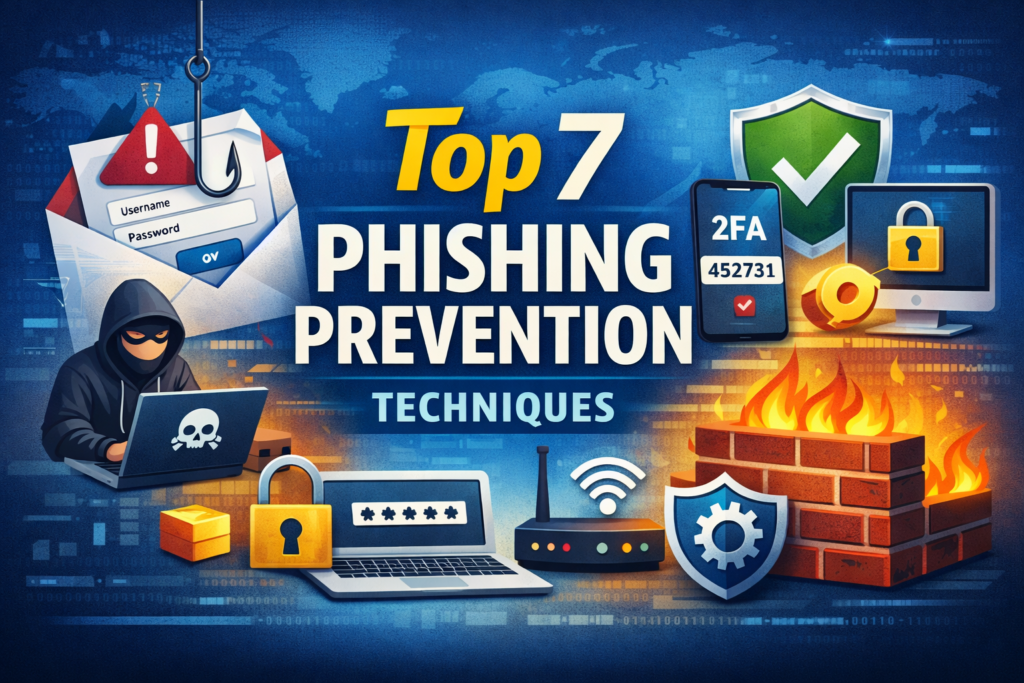
Learn the top 7 phishing prevention techniques to protect your personal and business data from scams, cyber attacks, and online security threats.
In today’s digital age, the threat of phishing attacks looms larger than ever. Cybercriminals are constantly evolving their tactics, making it essential for both individuals and businesses to stay vigilant. Phishing scams can trick even the most cautious users into revealing sensitive information like passwords, credit card numbers, or personal identification data.
Imagine receiving an email that appears legitimate but is actually a cleverly disguised trap designed to steal your information. The reality is sobering: everyone is at risk. With statistics showing that 1 in every 99 emails sent poses a phishing threat, understanding how to safeguard yourself has never been more critical.
Whether you’re managing a small business or simply trying to protect your personal data, implementing effective phishing attack prevention techniques can make all the difference. Let’s explore innovative strategies that not only fortify your defenses but also empower you against these deceptive schemes!
What is Phishing and Why is it a Threat?
Phishing is a form of cybercrime that involves tricking individuals into providing sensitive information, such as usernames and passwords. Attackers often disguise themselves as trustworthy entities, utilizing emails or messages that seem legitimate.
The threat lies in its deceptive nature. Many people unknowingly fall victim to these scams because the communications can be exceptionally convincing. A cleverly crafted email may look like it’s from your bank or a familiar service provider, leading you to click on harmful links.
Once engaged, users might unwittingly share valuable data with malicious actors. This stolen information can lead to identity theft or unauthorized access to financial accounts.
Moreover, phishing attacks are not just targeted at individuals; businesses face significant risks too. A single breach can compromise client data and tarnish a company’s reputation overnight, making awareness crucial for everyone navigating the digital landscape.
Most Common Types of Phishing Attacks
Phishing attacks come in various forms, each designed to deceive victims into revealing sensitive information. One of the most prevalent types is email phishing. Attackers send seemingly legitimate emails, often impersonating trusted institutions, urging recipients to click on malicious links.
Spear phishing is more targeted and personal. Cybercriminals research their victims, crafting messages tailored to increase credibility and the likelihood of success.
Another rising threat is whaling. This sophisticated approach zeroes in on high-profile targets like executives or key decision-makers within an organization.
SMS phishing, or smishing, utilizes text messages instead of emails. Victims receive texts that encourage them to click links or provide personal information under false pretenses.
Vishing involves voice calls where attackers masquerade as bank representatives or tech support agents to extract confidential data directly from individuals over the phone. Each method poses significant risks and underscores the need for vigilance against these deceptive tactics.
Top 7 Phishing Prevention Techniques:
Phishing attacks are becoming increasingly sophisticated, making it crucial to adopt effective prevention techniques. Here are ten essential strategies to safeguard your personal and business data.
First, implement strong passwords across all accounts. Use a mix of letters, numbers, and symbols for added security. Avoid using easily guessable information.
Next, enable two-factor authentication whenever possible. This extra layer of protection significantly reduces the risk of unauthorized access.
Regularly updating software ensures that you have the latest security patches installed. Cybercriminals often exploit vulnerabilities in outdated programs.
Always be skeptical of suspicious emails or links. Verify the sender’s identity before clicking on anything that seems unusual or unexpected.
Employee training is vital too; equip your team with knowledge about phishing tactics and how to recognize them.
Additionally, consider anti-phishing software as an extra line of defense against these deceptive practices.
Secure your network with firewalls to prevent unauthorized access and protect sensitive information from potential breaches.
A. Implement Strong Passwords
Creating strong passwords is your first line of defense against phishing attacks. A weak password can be easily guessed or cracked, putting your personal and business data at risk.
Aim for a combination of upper and lower case letters, numbers, and special characters. The longer the password, the better. A passphrase made up of random words is not only secure but also easier to remember.
Avoid using easily accessible information like birthdays or pet names. Hackers often use this data to make educated guesses.
Consider utilizing a password manager to store complex passwords securely. This tool can generate unique passwords for each account, so you don’t have to rely on memory alone.
Regularly updating your passwords adds another layer of security. Make it a habit to change them every few months or immediately after any suspicious activity occurs in your accounts.
B. Use Two-Factor Authentication
Two-Factor Authentication (2FA) adds an extra layer of security to your online accounts. By requiring not just a password but also a second form of identification, it significantly reduces the risk of unauthorized access.
When you log in, after entering your password, you’ll receive a code on your mobile device or email. This means even if someone steals your password, they can’t easily get into your account without that additional code.
Many services offer 2FA options today. It’s wise to enable this feature wherever possible. Even if you’re managing business data or personal information, this simple step can safeguard against phishing attacks.
Don’t overlook the importance of using authenticator apps instead of SMS codes for added security. These apps generate time-sensitive codes and are less vulnerable to interception. Embrace Two-Factor Authentication as part of a comprehensive strategy for phishing attack prevention and keep your assets secure.
C. Stay Updated on Security Patches
Staying updated on security patches is an essential step in phishing attack prevention. Cybercriminals often exploit vulnerabilities in software to launch their attacks. Regularly applying updates can close these gaps.
Most operating systems and applications release patches that fix known issues. Ignoring them increases your risk exposure significantly. Set your devices to auto-update whenever possible, so you don’t miss crucial fixes.
Additionally, keep track of vendor announcements regarding security updates. They may provide insights into specific threats or weaknesses within their systems.
Create a routine for checking software updates if automatic installations aren’t feasible. This proactive approach ensures that you’re always one step ahead of potential attackers.
In a world where cyber threats constantly evolve, staying informed about the latest patches can be a game-changer. Protecting your data requires vigilance and timely action against emerging risks associated with outdated software.
D. Be Wary of Suspicious Emails and Links
One of the most effective ways to safeguard against phishing attacks is to remain vigilant when it comes to emails and links. Phishing attempts often masquerade as legitimate communications from banks, government agencies, or well-known companies.
Always scrutinize the sender’s email address. A small change can indicate malicious intent. For example, an email from “support@bank.com” might seem genuine, but “support@bank-secure.com” could be a trap.
When you receive links, hover over them before clicking. This simple action reveals the true destination URL without redirecting you there directly. If it looks suspicious or unfamiliar, don’t click.
Trust your instincts—if something feels off about an email, delete it immediately instead of risking exposure to potential threats lurking behind seemingly harmless words. Always prioritize safety over curiosity when navigating online spaces filled with unknowns.
E. Train Employees on Phishing Awareness
Training employees on phishing awareness is crucial for any organization. Human error often serves as the weakest link in cybersecurity. By educating staff, you empower them to recognize potential threats.
Regular workshops and training sessions can make a significant difference. Use real-life examples of phishing attempts relevant to your industry. This helps employees relate better to the risks.
Encourage open dialogue about suspicious emails or messages. A culture of transparency fosters vigilance and quick reporting of potential attacks.
Incorporate simulated phishing exercises into your training program. These can help employees practice their skills without risking actual data breaches.
Make resources easily accessible, such as guides or infographics highlighting red flags in emails. Continuous reinforcement keeps security top-of-mind throughout the year, not just during initial onboarding sessions.
Investing in employee education creates a more secure environment for everyone involved in the business.
F. Use Anti-Phishing Software
Using anti-phishing software is a crucial step in your phishing attack prevention strategy. These specialized tools help identify and block malicious attempts to steal sensitive information. By scanning emails and websites for potential threats, they act as an early warning system.
Most solutions come equipped with advanced algorithms that can detect suspicious patterns and known phishing sites. This proactive approach minimizes the risk of inadvertently clicking on harmful links or downloading malware.
Moreover, many anti-phishing programs offer real-time protection by monitoring ongoing activities. If something seems off, they’ll alert you immediately so you can take action before any damage occurs.
Regularly updating this software ensures that it remains effective against new types of attacks. As cybercriminals evolve their tactics, staying one step ahead is essential for both personal safety and business integrity.
G. Secure Your Network with Firewalls
Firewalls act as a barrier between your internal network and potential threats from the outside world. They monitor incoming and outgoing traffic, allowing only safe data to pass through. This is crucial in today’s digital landscape, where phishing attacks are rampant.
By configuring firewalls properly, you can block unauthorized access and filter out malicious content before it reaches your devices. It’s like having a vigilant security guard at the entrance of your virtual premises.
Regularly updating firewall settings ensures that you’re protected against new vulnerabilities. Cybercriminals constantly evolve their tactics; staying one step ahead is essential for effective protection.
Consider using both hardware and software firewalls for layered security. Each adds an extra line of defense against phishing attempts, safeguarding personal and business data alike. A multi-faceted approach significantly reduces risks associated with online threats.
“The Growth Navigate funding strategy explains how startups secure investment, scale faster, and build sustainable financial growth in competitive markets.”
Frequently Asked Questions (FAQs)
What is phishing, and why is it dangerous?
Phishing is a trick where attackers try to steal your personal info like passwords or credit card numbers. It’s dangerous because even one click can lead to identity theft or financial loss.
How can I tell if an email is a phishing attempt?
Check the sender’s email, look for spelling mistakes, and hover over links to see the real URL. If it looks suspicious or urgent, don’t click.
What are the most common types of phishing attacks?
Common types include email phishing, spear phishing (targeted), whaling (for executives), SMS phishing (smishing), and voice call phishing (vishing).
Why are strong passwords important?
Strong passwords make it harder for attackers to guess your login info. Use a mix of letters, numbers, and symbols for better security.
What is two-factor authentication (2FA) and why should I use it?
2FA adds an extra step to login, like a code sent to your phone. Even if your password is stolen, attackers can’t access your account without this code.
How often should I update my software?
Update your devices and apps regularly to fix security gaps. Enable automatic updates if possible to stay protected.
Can anti-phishing software really help?
Yes. It detects suspicious emails and websites before they can harm you. Keep it updated to defend against the latest threats.
How can I train my employees to avoid phishing?
Run workshops, show examples of real phishing attempts, and encourage reporting suspicious emails. Practice makes staff alert and ready.
What is smishing, and how can I prevent it?
Smishing is phishing via text messages. Don’t click on unknown links or share personal info through SMS. Verify messages with the sender if unsure.
How do firewalls protect me from phishing attacks?
Firewalls block unauthorized access to your network and filter out harmful data, making it harder for attackers to reach your devices.
Is phishing only a threat to businesses?
No, everyone is at risk. Individuals can lose personal info, while businesses may face data breaches, financial loss, and reputational damage.
Can clicking a link by mistake really cause harm?
Yes. Clicking a malicious link can download malware, steal data, or redirect you to fake websites. Always check links before clicking.
Are phishing attacks increasing every year?
Yes. Cybercriminals keep finding new ways to trick people, making it essential to stay alert and updated on prevention techniques.
What should I do if I think I received a phishing email?
Do not click any links. Report it to your IT team or email provider, and delete it. If you entered info, change your passwords immediately.
Can using a password manager improve my security?
Absolutely. Password managers generate strong, unique passwords for every account and store them safely, reducing the risk of hacking.
Disclaimer:
“This article is for educational purposes only. It provides general information on phishing prevention and cybersecurity risks. It does not constitute personal advice. Always exercise caution and consult professionals for specific security concerns.”
Conclusion:
“Phishing attacks are a serious threat to both personal and business data. By using strong passwords, enabling two-factor authentication, staying updated, training employees, and leveraging security tools, you can significantly reduce risks and stay protected online.”