
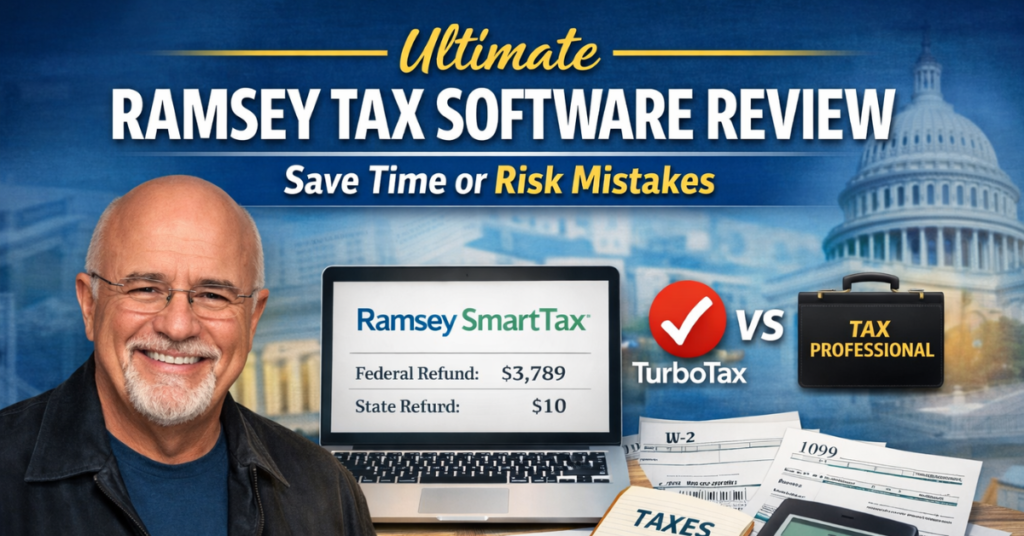
Filing taxes can be stressful, especially when you want the maximum tax refund while avoiding mistakes. In this Ultimate Ramsey Tax Software Review: Save Time or Risk Mistakes, we explore how Ramsey tax software works, compare it to TurboTax and professional filing, and walk through a complete tax filing journey from choosing a plan to submitting returns. This guide shows how the software handles income reporting, tax credits, tax deductions, self-employed taxes, and state return filing, helping you file with confidence in 2026.
Why Ramsey Tax Software Is Popular Among Tax Filers?
Ramsey SmartTax has become popular because it provides clear pricing, straightforward guidance, and minimal upsells. Unlike TurboTax, which frequently prompts for identity theft insurance, tax software upgrades, and other extra purchases, Ramsey SmartTax focuses on software honesty and simplicity.
Taxpayers can file online, use auto-fill info from a previous year return, and complete their federal forms and state filing without surprises. It supports common income types, including W-2 wages, 1099 forms like 1099-MISC, 1099-R, 1099-K, retirement account distributions, and miscellaneous income. For filers looking to save money while handling their personal taxes, Ramsey SmartTax offers a reliable solution. Financial coaches often recommend it for individuals who want to file with confidence and avoid costly professional fees.
Comparing Ramsey Tax Software to TurboTax and Professional Filing
When comparing Ramsey SmartTax to TurboTax and professional filing, differences are clear. TurboTax provides a guided interface and automation but includes multiple upsells, such as identity theft insurance and tax software upgrade options. Ramsey SmartTax avoids unnecessary upsells and focuses on helping users complete their tax filing journey efficiently.
Professional filing provides personalized advice for complex situations like self-employed taxes, quarterly payments, and Schedule C reporting. While more expensive, it ensures maximum accuracy and may improve the total refund amount. For straightforward returns, Ramsey SmartTax saves time and money; for complex finances, professional help remains valuable.
How Ramsey Tax Software Works: Step-by-Step Guide?
Ramsey SmartTax guides users through a structured process to complete federal and state returns accurately. From choosing a tax filing plan to e-filing tax returns, the software helps filers manage tax information, financial documents, and tax forms efficiently.
Choosing Your Tax Filing Plan
Ramsey SmartTax offers two main tax filing plans:
- Federal Classic ($49.95): Includes all necessary federal forms, supports standard deduction and itemized deductions, and provides basic guidance for tax credits and tax deductions. Ideal for standard returns with W-2 wages and straightforward income reporting.
- Federal Premium ($69.95): Adds priority support, live chat support, email support, phone support, and audit assistance for three years. Helpful for complex returns involving self-employed taxes, business profit loss, capital gains losses, or multiple income sources.
Each state return costs $49.95. Users can upgrade from Classic to Premium anytime, giving flexibility to access tax filing support and tax filing confidence when needed.
Entering Your Personal and Financial Information
After selecting a plan, you enter your personal info, including filing status, Social Security numbers, and dependent details. Ramsey SmartTax allows uploading a tax return from a previous year to auto-fill info, simplifying entry and minimizing errors.
The software also collects information about life changes, such as ACA insurance, new business income, or additional dependents. Accurately entering this tax information ensures the correct calculation of the federal refund and state refund.
Filling Out Income, Deductions, and Other Taxes
Ramsey SmartTax covers all income reporting, from W-2 wages, retirement account distributions, and social security benefits, to 1099 forms, payment card income, third-party transactions, and miscellaneous income.
The software guides users through tax deductions like HSA contributions, educator expenses, and student loan interest, and calculates tax credits, includingthe dependent care credit, education credits, and mortgage interest credit.
Other taxes, such as an additional tax penalty for early withdrawals or net investment income, are automatically applied if relevant. Filers can accurately determine the total refund amount before proceeding to the e-file tax stage.
E-Filing and Payment Options
After completing all income and deductions, the tax return summary displays total income, adjusted gross income, tax and credits, total tax, and payments made. You can submit taxes and e-file taxes directly with the IRS or your state.
Payments can be scheduled for later or deducted immediately, making it easy to manage estimated tax payments or other obligations. The system checks for missing forms and prompts for corrections to avoid errors.
“Invoice OCR software can transform your AP process by automating data entry, reducing errors, and helping businesses save thousands in processing costs.”
Pricing Overview: Ramsey Tax Software Plans & Value
Ramsey SmartTax’s transparent pricing ensures no hidden fees.
| Plan | Federal Forms | State Filing | Support | Price |
| Federal Classic | All | $49.95 | Email Support | $49.95 |
| Federal Premium | All | $49.95 | Live Chat, Phone, Email, Audit Assistance | $69.95 |
Compared to TurboTax, which may charge for identity theft insurance, tax software upgrade, or other upsells, Ramsey SmartTax provides cost certainty and clarity.
Accuracy and Refund Potential of Ramsey Tax Software
While Ramsey SmartTax handles standard personal taxes well, complex scenarios like business income, salary separation, or capital gains losses may produce lower refunds than TurboTax or professional filing. In testing, a sample return showed:
| Software | Federal Refund | State Refund | Total Refund |
| Ramsey SmartTax | $3,789 | $10 | $3,799 |
| TurboTax | $6,081 | $470 | $6,551 |
| Professional Filing | $5,850 | $480 | $6,330 |
This demonstrates that Ramsey SmartTax is accurate for straightforward returns but may leave money on the table for more complex situations.
User Experience: Is Ramsey Tax Software Easy to Use?
Ramsey SmartTax is user-friendly but slightly more complex software than TurboTax. Screens can have multiple tax questions, which may cause tax anxiety for some filers. However, auto-fill info, upload tax return, and step-by-step guide simplify the process for users with W-2 wages, social security benefits, and standard deductions. Premium users benefit from priority support, live chat support, and audit assistance.
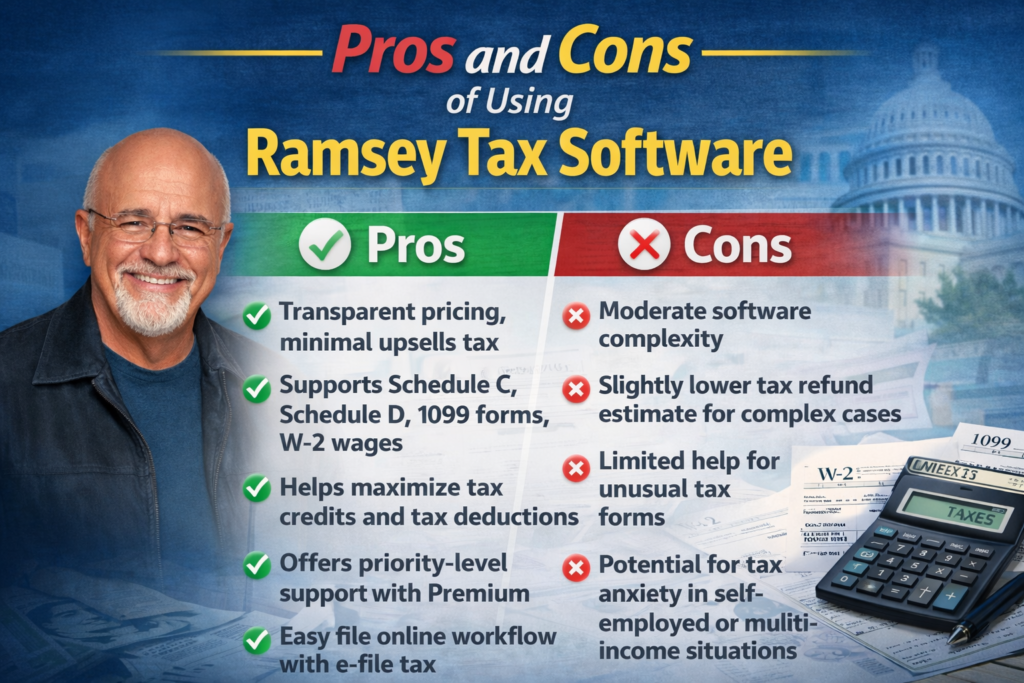
Pros and Cons of Using Ramsey Tax Software
Pros:
- Transparent pricing, minimal upsells, and tax
- Supports Schedule C, Schedule D, 1099 forms, and W-2 wages
- Helps maximize tax credits and tax deductions
- Offers priority-level support with the Premium plan
- Easy file online workflow with e-file tax
Cons:
- Moderate software complexity
- Slightly lower tax refund estimate for complex cases
- Limited help for unusual tax forms
- Potential for tax anxiety in self-employed or multi-income situations
Hidden Fees, Upsells, and Potential Challenges
Ramsey SmartTax avoids aggressive upsells but charges separately for state filing. Filers with self-employment taxes, business profit or loss, quarterly payments, or multiple income reporting sources need to carefully follow the guidance to avoid mistakes.
Common Mistakes to Avoid When Using Ramsey Tax Software
- Forgetting eligible tax deductions like HSA contributions or educator expenses
- Misreporting self-employed taxes or quarterly payments
- Skipping forms like ACA insurance, 1099-K, or 1099-MISC
- Choosing an incorrect filing status
- Ignoring the additional tax penalty for early retirement account withdrawals
Maximizing Your Refund With Ramsey Tax Software
To increase the tax refund estimate, filers should:
- Accurately enter all income reporting, including W-2 wages, social security benefits, retirement account, miscellaneous income, and third-party transactions
- Compare standard deduction vs itemized deductions
- Claim all eligible tax credits
- Include estimated tax payments and quarterly payments if self-employed
Ramsey Tax Software Security and Data Privacy Features
The software uses encrypted servers to protect tax information and financial documents. Users can safely file with the IRS and e-file taxes without worrying about data breaches.
Customer Support: What to Expect
- Federal Classic: Email support
- Federal Premium: Live chat, phone, email, and audit assistance for three years
Support covers tax filing support, filing guidance, and software issues.
Ramsey Tax Software vs. Hiring a Professional: Which Is Better?
Ramsey SmartTax works well for simple returns, but professionals provide personalized guidance for complex personal taxes, self-employed taxes, Schedule C, Schedule D, and business profit loss. Professionals can maximize tax refund and prevent errors that DIY filers might miss.
Real Results From Using Ramsey Tax Software
Many taxpayers want to know what kind of results they can expect when using Ramsey SmartTax compared to other options like TurboTax or professional filing. This section reviews actual outcomes from a sample tax filing scenario to show federal refund, state refund, and total refund differences. It highlights how tax software can impact your tax refund estimate and why understanding these differences matters before deciding whether to file taxes yourself, use software, or hire a professional.
Case Study: Sample Tax Filing Results
| Software | Federal Refund | State Refund | Total Refund |
| Ramsey SmartTax | $3,789 | $10 | $3,799 |
| TurboTax | $6,081 | $470 | $6,551 |
| Professional Filing | $5,850 | $480 | $6,330 |
Bottom Line: Is It Worth It in 2026?
Ramsey SmartTax is excellent for straightforward returns. Users with self-employed taxes, multiple income sources, or complex deductions may benefit from TurboTax or professional filing to increase their total refund amount.
“Just like accounting tools boost efficiency, the best free music production software in 2026 empowers creators to produce professional tracks without heavy investment.”
Frequently Asked Questions (FAQs)
What is Ramsey SmartTax, and how does it work?
Ramsey SmartTax isan online tax software that helps you file taxes quickly and accurately. It guides you through entering personal info, income reporting, tax deductions, and tax credits, then allows you to e-file tax directly with the IRS. You can choose federal classic or federal premium plans depending on the support you need.
Can Ramsey SmartTax handle complex tax situations?
Yes, Ramsey SmartTax can manage most standard tax situations, including self-employed taxes, business profit loss, capital gains losses, and multiple 1099 forms. For very complex cases, some users may still prefer professional filing for maximum tax refund and peace of mind.
How does Ramsey SmartTax compare to TurboTax?
Ramsey SmartTax is simpler and has fewer upsells than TurboTax. TurboTax offers more guidance for complex returns but may charge extra for identity theft insurance, tax software upgrade, or other add-ons. Ramsey SmartTax provides a more honest pricing structure and a straightforward online filing experience.
What are the pricing options for Ramsey SmartTax?
There are two main tax filing plans:
- Federal Classic: $49.95 plus $49.95 for state filing
- Federal Premium: $69.95 plus $49.95 for state filing, including priority-level support and audit assistance.
Can I file both federal and state taxes with Ramsey SmartTax?
Yes, Ramsey SmartTax supports both federal forms and state return filing. Your state return information is automatically filled based on your federal return, saving time and reducing errors.
How accurate is Ramsey SmartTax for calculating refunds?
Ramsey SmartTax is accurate for standard returns. It calculates the total refund amount, including federal refund and state refund, using your income reporting, tax credits, and deductions. Complex cases may result in a slightly lower tax refund estimate compared to professional help.
Can Ramsey SmartTax help with self-employed or business income?
Yes, it supports Schedule C, Schedule D, payment card income, third-party transactions, and quarterly payments. However, business income reporting can be tricky, and using TurboTax or a professional may improve accuracy for complex filings.
Does Ramsey SmartTax offer audit assistance?
Yes, the federal premium plan includes audit assistance for up to three years. This helps you address any IRS questions or discrepancies in your tax return summary.
How does Ramsey SmartTax handle deductions and tax credits?
The software guides users through standard deduction vs itemized deductions, adjustments to income, HSA contributions, educator expenses, and student loan interest. It also ensures you claim credits like dependent care credit, education credits, and mortgage interest credit to maximize your total refund amount.
Can I upload my previous year’s return in Ramsey SmartTax?
Yes, you can upload a tax return from the previous year, allowing the software to auto-fill info and simplify your tax filing journey. This reduces errors and saves time.
Is it safe to file taxes online with Ramsey SmartTax?
Absolutely. Ramsey SmartTax uses encrypted servers and secure protocols to protect your tax information and financial documents while you file with the IRS and e-file taxes.
Are there any hidden fees in Ramsey SmartTax?
No. Ramsey SmartTax is transparent about costs. The main charges are your selected tax filing plan and state return fees. There are no hidden upsells tax beyond the optional premium support features.
How long does it take to file taxes using Ramsey SmartTax?
Most users complete standard returns in 2–3 hours, including income reporting, deductions, credits, and tax forms. Self-employed taxes or multiple business income streams may take longer.
Can Ramsey SmartTax help me schedule tax payments?
Yes, you can schedule payments for taxes you owe. The system handles estimated tax payments and quarterly payments, allowing you to manage self-employed taxes without penalties.
Should I choose Ramsey SmartTax or hire a professional?
For straightforward returns, Ramsey SmartTax saves time and money. If you have complex personal taxes, multiple income streams, or want the maximum tax refund, professional filing is the safer choice. Many financial coaches recommend using Ramsey SmartTax for simple filings while relying on professionals for complicated cases.
Final Recommendation: Should You Use Ramsey Tax Software?
If your tax situation is simple, Ramsey SmartTax provides clear guidance, low cost, and the ability to file online with confidence. For complex income, multiple deductions, or self-employed work, consider supplementing with professional help or using TurboTax for additional support.
Disclaimer:
“This article is for educational purposes only. It provides general information about Ramsey SmartTax and tax filing options. It is not professional tax advice. Always consult a certified tax professional for guidance specific to your personal tax information or financial documents.”